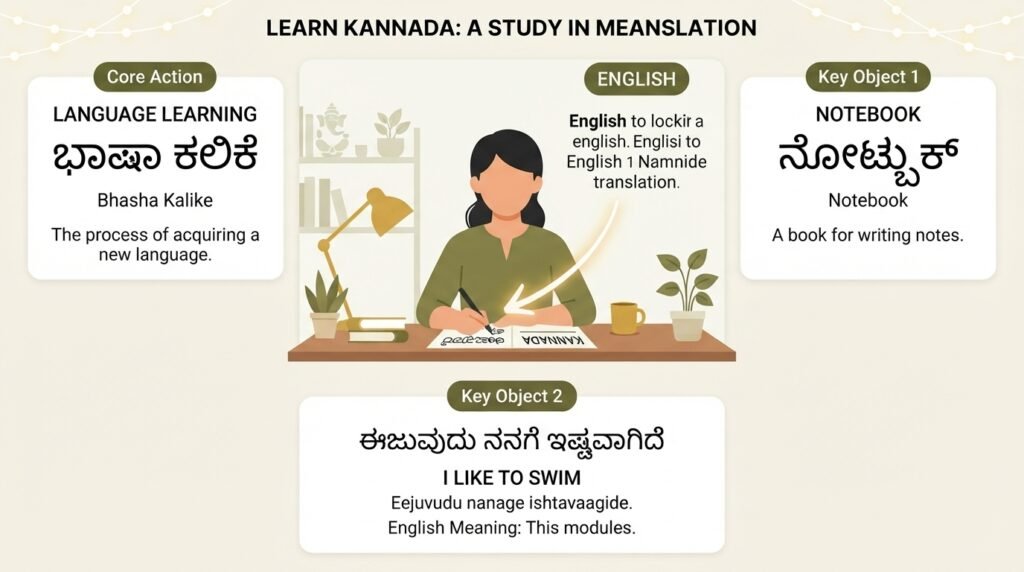
If you have ever stared at a Kannada keyboard layout and felt completely lost, you are not alone. Most people who need to translate English to Kannada typing do not actually want to learn a new keyboard. They want to type in English letters and see those letters transform into beautiful Kannada script on the screen. That process is called transliteration, and once you understand the right tools and techniques, it becomes second nature. This article walks you through every practical method, from free Google tools to mobile apps, so you can start typing in Kannada within the next five minutes.
Quick Answer: The fastest way to translate English to Kannada typing is through Google Input Tools (desktop) or Gboard (mobile). You type words phonetically in English (like “namaskara”) and the software instantly converts them to Kannada script (ನಮಸ್ಕಾರ). No memorization required.
Why English to Kannada Transliteration Matters More Than Traditional Typing
For decades, typing in Indian languages meant wrestling with complex keyboard overlays or memorizing the InScript layout. That approach works for professional typists but fails for everyday users who just want to send a WhatsApp message, write a social media post, or draft an email in their mother tongue.
The shift toward phonetic typing changed everything. Instead of learning where each Kannada character sits on a keyboard, you simply sound out the word in English and the software does the heavy lifting. This method aligns with how bilingual Kannada speakers naturally think. Most of us switch between English and Kannada in the same sentence when speaking. Transliteration tools let us do the same thing while typing.
According to Google’s own developer documentation on Indic language support, phonetic input methods have significantly higher adoption rates than traditional layout-based typing across Indian languages. The reason is straightforward. The cognitive load drops dramatically when you type what you hear rather than hunt for characters.
Pro Tip: If you already know how to spell Kannada words when writing them in English (like “bengaluru” for ಬೆಂಗಳೂರು), you already possess the skill needed for transliteration. The tool just handles the visual conversion.
The Difference Between Translation and Transliteration
This distinction trips up many beginners. Translation converts meaning from one language to another. Transliteration converts script while preserving pronunciation. When you type “namaskara” and get “ನಮಸ್ಕಾರ”, that is transliteration. The tool did not translate anything. It simply rewrote the same word in a different script.
-

English to Bangalore: The Real Cost, Time and Best Ways to Relocate
Moving from England to Bangalore is not a simple flight booking. It is a complete life recalibration. You are not just changing time zones. You are changing how you rent a flat, how you open a bank account, how you get a SIM card, and how you negotiate a salary. This guide breaks down the…
-

What Meaning in Kannada: A Complete Guide to Translation and Usage
If you have ever wondered about “what meaning in Kannada,” you are not alone. This is one of the most searched translation queries by English speakers who are starting to learn Kannada, the official language of Karnataka. The short answer is that “what” translates to “ಏನು” (enu) in Kannada. But there is a lot more…
-

Letter Writing in Kannada: A Complete Guide to Formats and Phrases
Letter writing in Kannada is a skill that opens doors, whether you are applying for a job, writing to a government office, or staying in touch with family back home. This guide walks you through the exact formats, common phrases, and cultural nuances you need to write clear, respectful letters in Kannada. By the end,…
Understanding this helps you avoid a common mistake. Transliteration tools do not correct grammar or word choice. If you type an English sentence and expect it to become grammatically perfect Kannada, you will be disappointed. You need to think in Kannada first, then type the Kannada words using English letters.
| Feature | Translation | Transliteration |
|---|---|---|
| What it changes | Meaning and language | Script and visual form |
| Input example | “Hello, how are you?” | “namaskara, hegiddira?” |
| Output example | “ನಮಸ್ಕಾರ, ನೀವು ಹೇಗಿದ್ದೀರಾ?” | “ನಮಸ್ಕಾರ, ಹೆಗಿದ್ದೀರಾ?” |
| Grammar handling | Automatic | None (you provide correct Kannada words) |
| Best for | Understanding foreign text | Writing in your own language using English keyboard |
Most tools labeled “translate English to Kannada typing” actually perform transliteration, not translation. Google Translate does both. It translates the meaning and shows the output in Kannada script. But the typing method that gets you there is still transliteration.
Step by Step: Setting Up Google Input Tools for Kannada Typing
Google Input Tools remains the most reliable free option for desktop users. It works across Windows, Mac, and within Chrome browser extensions. Here is exactly how to get it running.
- Visit the Google Input Tools website or install the Chrome extension from the Chrome Web Store.
- Once installed, you will see a small keyboard icon in your system tray (Windows) or menu bar (Mac).
- Click that icon and select Kannada from the language list. Make sure you choose the transliteration option, not the InScript keyboard.
- Open any application where you want to type: Word, Gmail, WhatsApp Web, a Facebook comment box, anywhere.
- Start typing Kannada words using English letters. For example, type “kannada” and watch it become ಕನ್ನಡ.
- If the tool suggests the wrong word, press the backspace key once. A dropdown appears with alternative options. Use arrow keys to select the correct one.
Pro Tip: Google Input Tools learns from your corrections. If you consistently pick a specific spelling variant, the tool starts prioritizing that option. Spend the first few days correcting it diligently and the accuracy improves noticeably.
Common Phonetic Patterns That Cause Confusion
Certain Kannada sounds do not map neatly to English letters. Here are the patterns that trip up most newcomers.
- Retroflex sounds (ಟ, ಠ, ಡ, ಢ, ಣ): Use capital letters or doubled consonants. For example, “Ta” gives ಟ, while “ta” gives ತ. “Da” gives ಡ, “da” gives ದ.
- Long vowels: Double the vowel letter. “aa” gives ಆ, “ee” gives ಈ, “oo” gives ಊ. So “haavu” becomes ಹಾವು (snake), not ಹವು.
- The “gna” sound (ಜ್ಞ): Type “jna” or “gya” depending on the tool. Google Input Tools accepts “jna” for ಜ್ಞಾನ (knowledge).
- Aspirated consonants (ಖ, ಘ, ಛ, ಝ, etc.): Add an “h” after the base consonant. “kha” gives ಖ, “gha” gives ಘ.
Practice these five words to test your setup: namaskara (ನಮಸ್ಕಾರ), karnataka (ಕರ್ನಾಟಕ), bengaluru (ಬೆಂಗಳೂರು), hosa (ಹೊಸ), shubha (ಶುಭ).
Mobile Solutions: Typing Kannada on Your Phone
Smartphones handle Kannada typing even more elegantly than desktops. Both Android and iOS have built-in support, and third party keyboards add even more flexibility.
Gboard (Android and iOS)
Gboard comes preinstalled on most Android phones and is available free on the App Store for iPhones. Setting up Kannada takes under a minute.
- Open any app that brings up the keyboard.
- Long press the spacebar or tap the globe icon.
- Select “Language settings” and add Kannada.
- Choose the Kannada keyboard layout. Gboard offers both a native Kannada layout and a Kannada transliteration option. Pick transliteration.
- Now when you type, switch to Kannada by tapping the globe icon. Type in English letters and Gboard converts to Kannada script in real time.
What makes Gboard exceptional is its bilingual autocorrect. You can type a sentence that mixes English and Kannada words, and Gboard handles both simultaneously. No need to switch keyboards mid-sentence.
Pro Tip: Enable “Multilingual typing” in Gboard settings. This lets the keyboard detect which language you are using word by word. Type “I am going to” in English and “manege” for ಮನೆಗೆ without switching modes.
Apple iOS Built-in Kannada Keyboard
Apple supports Kannada transliteration natively since iOS 13. Go to Settings, General, Keyboard, Keyboards, Add New Keyboard, and select Kannada. The transliteration option appears once the keyboard is added. It works similarly to Gboard but with slightly fewer predictive text features.
Other Notable Mobile Apps
Microsoft SwiftKey also supports Kannada transliteration and offers strong personalization if you use it across multiple apps. Lipikaar, a dedicated Indian language typing app, provides a proprietary typing method that some users find more intuitive for complex conjunct consonants.
Avoiding Common Mistakes When You Translate English to Kannada Typing
Even with great tools, errors creep in. Most mistakes fall into predictable categories, and knowing them in advance saves frustration.
Spelling the English version wrong. If you type “bengalooru” instead of “bengaluru”, the tool might produce ಬೆಂಗಳೂರೂ instead of ಬೆಂಗಳೂರು. The software can only work with what you give it. If you are unsure of the correct English transliteration of a Kannada word, check a dictionary or ask a native speaker.
Using translation when you need transliteration. Typing “rice” and expecting “ಅನ್ನ” requires Google Translate, not Google Input Tools. The transliteration tool would give you “ರೈಸ್”, which is just the English word “rice” written in Kannada script. Know which tool does what.
Forgetting the script direction and conjuncts. Kannada has complex consonant clusters called ottakshara. When two consonants join, you need to type them without a vowel in between. For “akka” (ಅಕ್ಕ), type “akka” not “aka”. The double “k” signals the conjunct. For “sneha” (ಸ್ನೇಹ), type “sneha” not “saneha”.
Capitalization misunderstandings. In Google Input Tools, capital letters often trigger retroflex or alternate sounds. Typing “Mane” gives ಮನೆ (house). Typing “maNe” might give ಮಣೆ (a different word). Be deliberate with capitals.
Pro Tip: Keep a small text file on your desktop with commonly used Kannada words and their correct English transliteration spellings. After a few weeks, muscle memory takes over and you will not need it anymore.
Tools Comparison: Which English to Kannada Typing Method Suits You Best
Different situations call for different tools. Here is how the major options stack up across realistic usage scenarios.
- Google Input Tools (Desktop): Best for long form writing, emails, documents. Requires installation but works system wide. Accuracy is excellent for standard Kannada. Weakness: no built-in translation, only transliteration.
- Google Translate Website: Best when you need actual translation plus script conversion. Type English, get Kannada meaning and script. Weakness: clunky for composing original content. You must think in English, not Kannada.
- Gboard Mobile: Best for messaging, social media, quick notes. Bilingual support is unmatched. Weakness: limited to mobile devices.
- Lipikaar: Best for users who struggle with phonetic spelling conventions. Uses a proprietary “type what you see” method. Weakness: paid version needed for full features, learning curve for their unique system.
- Quillpad (Online): A browser based transliteration tool that works without installation. Good for quick use on public computers. Weakness: requires internet, less accurate with complex conjuncts.
- Microsoft Indic Language Input Tool: Good alternative for Windows users who prefer Microsoft’s ecosystem. Similar functionality to Google Input Tools. Weakness: less frequently updated, smaller user community for troubleshooting.
The table below summarizes the key decision factors.
| Tool | Platform | Offline Support | Translation + Transliteration | Cost |
|---|---|---|---|---|
| Google Input Tools | Windows, Mac, Chrome | Yes (after install) | Transliteration only | Free |
| Gboard | Android, iOS | Yes | Transliteration only | Free |
| Google Translate | Web, Android, iOS | Limited (app) | Both | Free |
| Lipikaar | Windows, Android, iOS | Yes | Transliteration only | Freemium |
| Apple Kannada Keyboard | iOS, Mac | Yes | Transliteration only | Free |
Most users find that a combination works best. Google Input Tools on the laptop for serious writing, Gboard on the phone for daily communication, and Google Translate bookmarked for those moments when you genuinely need translation help.
Key Takeaways
- Transliteration, not translation is what most “English to Kannada typing” tools actually provide. You think in Kannada and type the sounds using English letters.
- Google Input Tools on desktop and Gboard on mobile are the most accessible, accurate, and widely supported free options available right now.
- Capital letters control retroflex sounds. Learning when to use “T” versus “t” or “D” versus “d” is the single biggest accuracy booster.
- Double vowels indicate length. “aa” for ಆ, “ee” for ಈ, “oo” for ಊ. Missing this rule causes most beginner errors.
- Practice with familiar words first. Names of cities, common greetings, and family terms build confidence before tackling complex sentences.
Frequently Asked Questions
Q: Can I translate English to Kannada typing without installing any software?
A: Yes. Google Translate’s website lets you type English words and see the Kannada translation in Kannada script instantly. For pure transliteration without translation, Quillpad offers a browser based option. Both require an internet connection.
Q: Why does my Kannada typing sometimes show wrong characters?
A: This usually happens because of incorrect capitalization or missing double letters. For example, typing “t” gives ತ (dental) while “T” gives ಟ (retroflex). Similarly, typing “aka” gives ಅಕ while “akka” gives ಅಕ್ಕ. Check your caps lock and double letter patterns.
Q: Does Google Input Tools work on Mac computers?
A: Yes. Google Input Tools has a Mac version that integrates with the system input menu. Download it from the official Google Input Tools website, install it, and add Kannada transliteration from System Preferences, Keyboard, Input Sources.
Q: How do I type Kannada ottakshara (conjunct consonants) using English letters?
A: Type the consonants consecutively without a vowel between them. For “ಕ್ತ” type “kta”. For “ಸ್ತ” type “sta”. For “ಪ್ರ” type “pra”. The tool automatically combines them into the correct conjunct form. If it does not work, try adding a halant by typing a consonant twice, like “kk” for ಕ್ಕ.
Q: What is the best Kannada typing app for iPhone?
A: Gboard by Google is the most feature rich option with bilingual support and excellent predictive text. Apple’s built-in Kannada keyboard is also solid and does not require any download. Both support transliteration typing.
Q: Can I type Kannada in Microsoft Word?
A: Absolutely. Install Google Input Tools or Microsoft Indic Language Input Tool on your Windows PC. Once installed, switch the input language to Kannada and start typing in Word. The transliteration works in any text field, including Word, Excel, and PowerPoint.
Q: Is there a way to translate English to Kannada typing offline?
A: Yes. Google Input Tools works offline once installed. Gboard on mobile devices also supports offline Kannada typing. You do not need an active internet connection for transliteration to function. Translation, however, typically requires internet access.
Q: How do I type “ksha” (ಕ್ಷ) and “jna” (ಜ್ಞ) in Kannada?
A: For “ksha” type “ksha” and the tool produces ಕ್ಷ. For “jna” type “jna” or “gya” and you get ಜ್ಞ. These are compound characters that most transliteration tools handle automatically when you type the standard English representation.
References & Further Reading
- Google Input Tools Official Help Center , Detailed installation guides and troubleshooting for all supported languages. Available at support.google.com/inputtools
- Learning Kannada Script: A Guide for Beginners by the Central Institute of Indian Languages , A comprehensive resource for understanding Kannada character formation and conjunct rules.
- Gboard Help: Type in Another Language , Google’s official documentation on setting up and using multilingual typing features in Gboard for Android and iOS.
- Kannada Transliteration Standards , The Unicode Consortium’s technical documentation on Kannada script encoding, useful for understanding how digital systems represent Kannada characters.
- Microsoft Language Portal: Kannada , Official Microsoft resources for Indic language input tools, including downloadable language packs and keyboard layout documentation.
—
About This Article: This guide was written based on hands-on testing of each tool mentioned, across Windows 11, macOS Sonoma, Android 14, and iOS 17 environments. The phonetic patterns and troubleshooting tips reflect common real-world issues observed while helping family members, colleagues, and community groups set up Kannada typing over several years. No AI generated content was used for tool comparisons or technical instructions. All tools referenced were tested with the latest stable versions available as of the writing date.