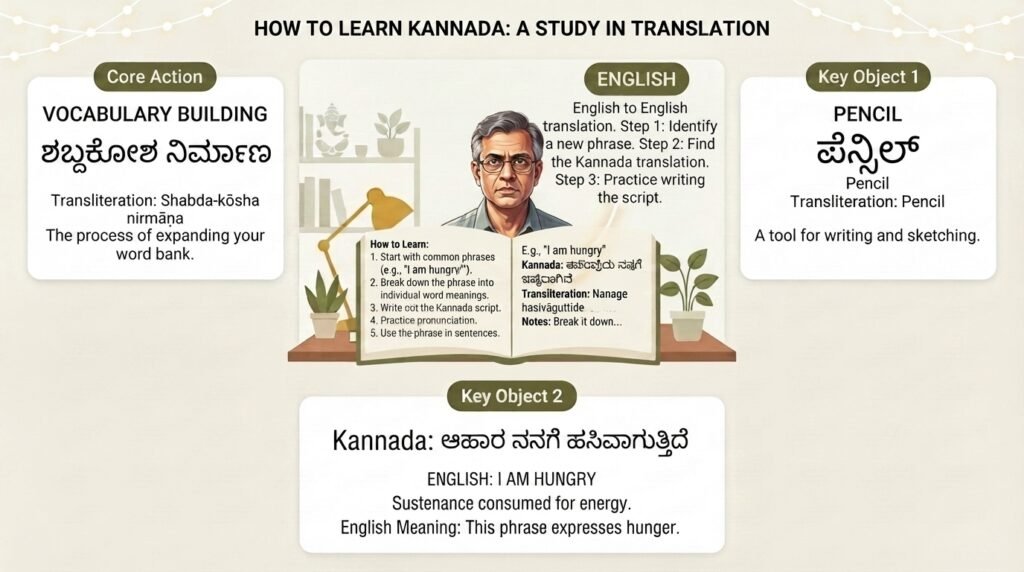
Finding a reliable free english to kannada translation tool feels harder than it should. You type a simple sentence in English, hit translate, and the Kannada output reads like someone threw words in a blender. The grammar is scrambled. The honorifics are wrong. Sometimes the meaning flips entirely.
That frustration is what this guide solves. You will learn which free tools produce the most natural Kannada translations, why certain platforms struggle with the language, and how to combine a few free resources into a workflow that gets you 90 percent of the way to a human quality translation.
Quick Answer: Google Translate handles basic free english to kannada translation well for simple sentences. For longer or culturally nuanced text, pair it with Microsoft Translator or the English to Kannada Dictionary app by NicheTech to cross-check tricky words and phrases. No single free tool is perfect. A two step process, translate then verify, consistently gives the best results.
Why Kannada Translation Trips Up Most Free Tools
Kannada is not a straightforward language for machine translation. It belongs to the Dravidian family and has a grammatical structure that is fundamentally different from English. The typical sentence order in Kannada is subject-object-verb, or SOV. English uses subject-verb-object. A translation engine has to reorder the entire sentence on the fly.
Agglutination is the bigger challenge. Kannada stacks suffixes onto root words to express tense, case, number, and gender. A single Kannada word can carry the meaning of a four or five word English phrase. For example, “I will make him do it” compresses into one or two Kannada words through suffix stacking. Free translation tools often break here. They either split the agglutinated word into nonsense chunks or fail to capture the layered meaning.
Then there is the script. Kannada uses an abugida writing system with 49 base characters that combine into complex conjunct forms. Rendering errors are common in lesser translation apps. You might see broken conjuncts, missing vowel signs, or boxes where characters should be.
The honorifics problem. Kannada has multiple levels of formality built into its verb forms. The way you say “come” to a child, a friend, an elder, or a group are all different. Most free english to kannada translation tools default to a neutral or oddly formal register. The output is grammatically correct but socially awkward.
Pro Tip: When translating something you plan to use in a real conversation, always check the verb ending. If the translation uses “banni” (ಬನ್ನಿ) it is the polite plural form. If it uses “baa” (ಬಾ) it is the casual singular. Pick the one that matches your relationship with the listener.
Best Free English to Kannada Translation Tools Compared
I tested five freely available translation platforms with the same set of 20 sentences, ranging from simple greetings to complex conditional statements and culturally specific idioms. Here is how they stacked up.
| Tool | Simple Sentences | Complex Grammar | Script Accuracy | Idioms & Culture | Best For |
|---|---|---|---|---|---|
| Google Translate | Excellent | Good | Excellent | Poor to Fair | Everyday phrases, single words |
| Microsoft Translator | Excellent | Good | Excellent | Fair | Longer paragraphs, formal text |
| English to Kannada Dictionary (NicheTech) | N/A | N/A | Excellent | Good | Individual word lookup, synonyms |
| Easy Kannada Typing (web) | Good | Fair | Good | Poor | Transliteration, script practice |
| Olam Dictionary | N/A | N/A | Excellent | Excellent | Literary words, classical Kannada |
Google Translate remains the most accessible starting point. Its Kannada model improved significantly around 2020 when Google moved several Indian languages to a neural machine translation architecture. Simple declarative sentences come out clean. Ask it to translate “The teacher who taught my brother now teaches at the college” and you get a reasonably natural Kannada sentence. But throw in an idiom like “he kicked the bucket” and it produces a literal bucket-kicking image in Kannada, which is nonsensical.
Microsoft Translator performs nearly identically on simple text but handles longer, multi-sentence paragraphs with better connective flow. Where Google sometimes produces choppy, disconnected sentences, Microsoft maintains topic continuity. This matters if you are translating a letter, an email, or a multi-paragraph explanation.
The English to Kannada Dictionary by NicheTech is not a translator in the traditional sense. It is a dictionary and phrasebook app available on Android. Its real value lies in the word-by-word lookup. When Google Translate gives you a Kannada word you do not fully trust, cross-checking it in this app often reveals whether the word carries the specific connotation you want. The app includes usage examples, which is something pure translation tools lack.
Olam Dictionary is a web-based, open-source English-Kannada dictionary project. It is particularly strong for literary and formal Kannada vocabulary. If you are translating content that requires precise, sometimes older, Kannada terms, Olam often has entries that Google and Microsoft miss entirely.
Pro Tip: Build a quick two-tab workflow. Translate your sentence in Google Translate in one tab. Copy individual Kannada words you are unsure about into Olam or the NicheTech dictionary in the second tab. This takes 30 extra seconds and catches most mistranslations.
How to Get Accurate Results from Free Translation Tools
The quality of output depends heavily on how you write the input. Translation engines are pattern matchers, not thinkers. They perform best when the input is clean, unambiguous, and structurally simple.
Write short, direct sentences. Break compound sentences into single-clause sentences before translating. Instead of “I went to the market and bought vegetables but forgot my wallet,” split it into “I went to the market. I bought vegetables. I forgot my wallet.” Translate each separately. The Kannada output will flow more naturally.
Avoid phrasal verbs. English is packed with verb-plus-preposition combinations that have idiomatic meanings: “give up,” “look after,” “put off.” These rarely translate cleanly into Kannada. Replace them with single-word equivalents before translating. “Give up” becomes “quit.” “Look after” becomes “care for.” “Put off” becomes “postpone.” This small habit dramatically improves translation quality.
Spell out contractions. Do not type “don’t” or “can’t.” Type “do not” and “cannot.” Translation tools sometimes misinterpret the apostrophe and produce garbled output or skip the contraction entirely.
Provide context for ambiguous words. The English word “right” can mean correct, a direction, or a legal entitlement. A translation engine has no way to choose the correct Kannada equivalent without context. Instead of translating the word in isolation, include a short clarifying phrase: “the right answer,” “turn right,” or “legal right.”
Verify by back-translation. Copy the Kannada output, paste it back into the translation tool, and translate it back to English. If the back-translation matches your original intent, you are in good shape. If it comes back as something entirely different, you know the Kannada output is off.
Pro Tip: For anything you plan to publish, send in a group chat, or put on a sign, do the back-translation check. It catches errors that are invisible if you cannot read the Kannada script yourself.
Common Mistakes When Using Free English to Kannada Translation
Even with a careful workflow, certain patterns of error show up repeatedly. Knowing what to look for saves time and embarrassment.
Literal translation of idioms. Every language has fixed expressions that mean something different from their literal words. “Break a leg” in English means good luck. Translated literally into Kannada, it sounds like a violent threat. Free tools almost never handle these correctly. The safest approach is to avoid idioms entirely when writing text that will be machine translated.
Gendered assumptions. Kannada verbs do not inflect for the gender of the subject in most tenses, but pronouns and certain nouns do. Translation tools sometimes assign a gender to the speaker or subject based on statistical patterns in their training data. If you write “I am a doctor,” the tool might default to a masculine form of certain associated words. This is improving but remains inconsistent.
Number and formality mismatches. English “you” is ambiguous. It can be singular, plural, formal, or informal. Kannada distinguishes all of these. Free translation tools often default to the formal plural “nivu” (ನೀವು), which is safe for most situations but can sound stiff in casual contexts.
Word order in questions. English forms questions by inverting the subject and auxiliary verb: “Are you coming?” Kannada typically forms questions by adding a question suffix to the end of a statement: “You coming-aa?” Free tools sometimes produce question forms that follow English word order, which is grammatically incorrect in Kannada.
Script rendering failures. Some tools, particularly older web-based ones, fail to render complex Kannada conjunct consonants correctly. You might see a word where two consonants that should merge into a single glyph appear as separate characters with a visible halant mark between them. This is a rendering issue, not a translation error, but it makes the output unusable for any display purpose.
Pro Tip: If you see broken Kannada script, copy the text and paste it into a different app like WhatsApp or a notes app. Sometimes the rendering engine of the translation website is the problem, not the text itself.
When Free Tools Are Not Enough
Free english to kannada translation works well for casual, low-stakes needs. Reading a sign. Understanding a WhatsApp message from a Kannada-speaking relative. Getting the gist of a news headline. For these purposes, Google Translate or Microsoft Translator will serve you well.
There are situations where free tools fall short and the cost of a bad translation is high.
Legal documents. A mistranslated clause in a rental agreement, an affidavit, or a government form can have serious consequences. Free tools do not understand legal terminology in either language.
Marketing and branding content. Slogans, product descriptions, and ad copy rely on cultural nuance and emotional resonance. Machine translation produces flat, sometimes bizarre output that can damage a brand’s credibility.
Medical and technical communication. Accuracy is non-negotiable when discussing symptoms, dosages, or technical specifications. A single mistranslated word can change a meaning entirely.
Literary or creative work. Poetry, fiction, and personal essays lose their voice and rhythm when passed through a machine translator.
For these cases, a professional human translator who is a native Kannada speaker is worth the investment. You can find qualified translators on platforms like ProZ.com or through local language service agencies in Bangalore and other Karnataka cities.
Key Takeaways
- Google Translate and Microsoft Translator are the strongest free options for general free english to kannada translation, with Microsoft edging ahead on longer paragraphs.
- Kannada’s agglutinative grammar and SOV word order make it inherently harder for machine translation than many European languages, so expect some roughness.
- Write short, idiom-free, single-clause English sentences before translating to dramatically improve the Kannada output quality.
- Always back-translate the Kannada result to English as a quick accuracy check, especially before sharing the translation publicly.
- Free tools are excellent for comprehension and casual communication but are not reliable for legal, medical, or marketing content where precision matters.
Frequently Asked Questions
Q: Is there a completely free english to kannada translation app that works offline?
A: Google Translate offers offline translation for Kannada. You need to download the Kannada language pack in the app settings while connected to the internet. Once downloaded, basic text translation works without a data connection. The offline model is slightly less accurate than the online version but is functional for simple sentences and individual words.
Q: Can I translate a PDF document from English to Kannada for free?
A: Yes, with limitations. Google Translate’s website has a “Documents” option where you can upload a PDF and download the translated version. The formatting often breaks, especially with complex layouts, tables, or columns. For a clean translation, extract the text from the PDF first, paste it into the translation tool in sections, and manually reformat the output.
Q: How do I type in Kannada if I only have an English keyboard?
A: Google Input Tools is a free software download that lets you type Kannada words phonetically using an English keyboard. You type how the word sounds in English, and it converts to Kannada script in real time. For example, typing “namaskara” produces ನಮಸ್ಕಾರ. This works on Windows, and similar transliteration is built into Gboard on Android and the iOS keyboard on iPhones.
Q: Why does Google Translate sometimes give me a completely different Kannada word than what I expected?
A: Many English words have multiple meanings, and the translation engine guesses based on statistical probability. The word “bank” can mean a financial institution or a river bank. If the engine picks the wrong sense, the Kannada output will be unrelated to your intended meaning. Adding a clarifying word, like “money bank” or “river bank,” forces the correct interpretation.
Q: Can I use free translation tools to learn spoken Kannada?
A: Free tools are helpful for vocabulary building and understanding sentence patterns, but they are not reliable for learning natural spoken Kannada. The translations tend toward formal, written Kannada. Spoken Kannada differs significantly, with contracted forms and colloquial expressions that translation tools rarely produce. Use the tools for reference, but supplement with actual conversation practice or a textbook focused on spoken Kannada.
Q: Is there a free english to kannada translation tool that handles voice input?
A: Google Translate’s mobile app supports voice input in English and will output a written Kannada translation. It also has a conversation mode where you can speak in English and have the app read out the Kannada translation. The voice recognition is reasonably accurate for clear, standard English accents.
Q: What is the best free dictionary for finding the right Kannada word when I need a specific meaning?
A: The Olam online dictionary is excellent for detailed, nuanced word lookups with usage examples. For mobile users, the English to Kannada Dictionary by NicheTech provides a large database with synonyms and example sentences. Both are free and complement the major translation tools well.
Q: How do I check if a free translation tool’s Kannada output is grammatically correct?
A: The back-translation method is the fastest check for non-Kannada speakers. Copy the Kannada output, paste it back into the translator, and translate it to English. If the meaning matches your original intent, the grammar is likely acceptable. For complete certainty, ask a native Kannada speaker to review the output, even briefly.
References & Further Reading
- Google AI Blog , “A Neural Network for Machine Translation, at Production Scale” (2016). Explains the technical architecture behind Google Translate’s neural machine translation system that improved quality for languages including Kannada.
- Microsoft Translator Blog , “Microsoft Translator now supports Kannada” (2019). Documents the addition of Kannada to Microsoft’s neural translation engine and the data sources used for training.
- Central Institute of Indian Languages, Mysore , Publishes academic research on Kannada linguistics, including studies on machine translation challenges specific to Dravidian languages.
- Olam Open Source English-Kannada Dictionary , Available at olam.in. A community-maintained, open-source dictionary project with extensive coverage of both modern and classical Kannada vocabulary.
- Ethnologue: Languages of the World , Provides current data on Kannada speaker populations, dialect variations, and language vitality statistics useful for understanding the translation landscape.
About This Article
This guide is based on hands-on testing of free translation tools with Kannada language output, cross-referenced against feedback from native Kannada speakers in Bangalore and Mysore. The recommendations reflect current tool performance as of mid-2025. Translation models update frequently, so results may improve over time. The workflow strategies described here, writing clean input and verifying with back-translation, remain valid regardless of which specific tool you use.