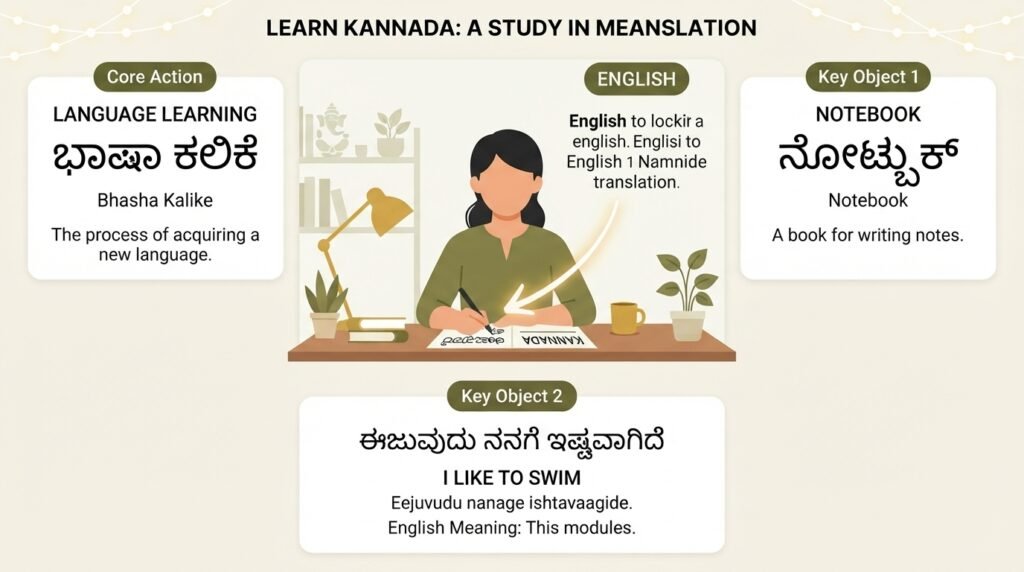
If you need to figure out how to translate Kannada to English, you are not alone. Millions of Kannada speakers and learners face this challenge daily, whether for work emails, academic papers, or casual conversations with friends. The good news is that modern tools make this process surprisingly straightforward, and I will walk you through the exact methods that produce the most accurate results.
Quick Answer: The fastest way to translate Kannada to English is using Google Translate (app or web), which supports real-time camera translation, voice input, and typed text. For professional or nuanced content, combine machine translation with manual review or use a bilingual dictionary for tricky phrases.
Understanding Kannada-to-English Translation Challenges
Kannada belongs to the Dravidian language family and has a completely different grammatical structure from English. The script itself contains 49 letters (13 vowels and 36 consonants), and sentence construction follows a Subject-Object-Verb order rather than English’s Subject-Verb-Object pattern. This structural gap explains why direct word-for-word translation often produces garbled results.
Idiomatic expressions pose the biggest hurdle. A phrase like “ಅಜ್ಜಿಗೆ ಅರಿವೆ ಇಲ್ಲ” literally translates to “grandmother has no cloth,” but actually means someone is pretending ignorance. Machine translators still struggle with these cultural nuances. Understanding this limitation helps you know when to trust an automated output and when to seek human clarification.
The key insight here is simple: no single tool handles everything perfectly. The best approach combines different methods depending on what you are translating. A casual text message needs a different strategy than a legal document.
Tools You Need for Kannada to English Translation
Different scenarios call for different tools. Here is a comparison of the most reliable options available right now.
| Tool | Best For | Accuracy Level | Cost | Offline Support |
|---|---|---|---|---|
| Google Translate | General text, images, voice | Moderate to High | Free | Yes (download Kannada pack) |
| Microsoft Translator | Business documents, real-time conversation | High | Free | Yes |
| Kannada-English Dictionary apps | Single words, short phrases | Very High | Free/Paid | Usually |
| Professional human translators | Legal, medical, literary content | Highest | Paid | N/A |
| ChatGPT / Claude | Context-heavy, nuanced text | Moderate to High | Free/Paid | No |
Pro Tip: Download the offline Kannada language pack in Google Translate before you travel. You can find this under Settings > Offline Translation. The pack takes about 45 MB of storage and works without any internet connection.
Step 1: Install a Reliable Translation App
Start with Google Translate because it handles the widest range of input methods. Download it from the Google Play Store or Apple App Store. Once installed, open the app and set Kannada as the source language and English as the target. You will see these language selectors at the top of the screen.
Microsoft Translator works as a solid backup. I recommend installing both because each handles certain sentence structures differently. When one produces awkward output, the other often gets it right. This redundancy saves time and frustration.
Step 2: Choose Your Input Method
You have four main ways to feed Kannada text into these tools. Each suits different situations.
Type the text manually using the on-screen Kannada keyboard. On Android, enable this through Settings > System > Languages & Input > Virtual Keyboard > Gboard > Languages. Add Kannada and you can switch between English and Kannada with a single tap. This method works best for short, precise queries where you control every character.
Speak your Kannada sentence by tapping the microphone icon. Google Translate’s voice recognition for Kannada has improved significantly. Speak clearly at a normal pace. The app converts your speech to Kannada text first, then translates to English. This shines in conversations where typing is impractical.
Point your camera at printed Kannada text like signs, menus, or documents. Tap the camera icon in Google Translate, point at the text, and watch the English overlay appear in real time. This augmented reality feature works surprisingly well for clear, standard fonts. Handwritten or stylized text can confuse it.
Upload an image or document by selecting the import option. You can upload screenshots, PDFs, or photos from your gallery. The app extracts text using OCR (optical character recognition) and translates it. For multi-page documents, this saves enormous time compared to retyping everything.
Pro Tip: When using camera translation, hold your phone steady and ensure good lighting. The OCR engine struggles with shadows, glare, and curved surfaces. Tap the screen to freeze the translation overlay for easier reading.
Step 3: Translate and Review the Output
Once you get the English translation, do not accept it blindly. Read it aloud. Does it sound like natural English? Machine translations often preserve Kannada word order, creating sentences that feel stilted or backward to a native English speaker.
Look for these common machine translation errors:
- Pronouns getting swapped (he/she/it confusion, since Kannada uses gender-neutral pronouns in some constructions)
- Tense inconsistencies (Kannada marks tense differently on verbs)
- Missing articles (a, an, the do not exist in Kannada)
- Literal translations of idioms that make no sense in English
If the output seems off, try breaking long Kannada sentences into shorter chunks before translating. Machines handle simple sentences far better than complex ones with multiple clauses. You can also run the English output back through the translator to Kannada and see if the meaning holds. This back-translation trick catches many errors.
Step 4: Refine Using Additional Tools
For words or phrases that the main translator butchers, consult a dedicated Kannada-English dictionary. Apps like English Kannada Dictionary by Innologica or the web-based Shabdkosh provide detailed definitions with usage examples. These resources help you understand why a particular word was translated a certain way.
AI chatbots like ChatGPT offer another layer of refinement. You can paste a machine-translated paragraph and ask, “Does this sound natural in English? Improve it while preserving the original meaning.” The AI will smooth out awkward phrasing and fix grammatical oddities. This hybrid approach, machine translation plus AI polishing, produces near-professional results for most everyday needs.
For important documents, nothing beats a human Kannada-English translator. Platforms like ProZ and TranslatorsCafe connect you with verified professionals. Expect to pay between $0.08 and $0.15 per word for standard documents. The cost rises for specialized fields like medicine or law.
Step 5: Save and Organize Your Translations
Build a personal glossary of frequently used phrases. Google Translate lets you star and save translations by tapping the star icon. Over time, this creates a customized phrasebook tailored to your specific needs, whether you are learning Kannada, conducting business, or communicating with family.
For ongoing projects, maintain a simple spreadsheet with columns for the original Kannada text, the machine translation, your corrected version, and any notes about context or nuance. This documentation helps you spot patterns in translation errors and speeds up future work.
Key Takeaways
- Google Translate handles most Kannada-to-English needs with text, voice, and camera input, all available offline after downloading the language pack
- Machine translation struggles with idioms, complex sentences, and cultural references, so always review the output critically
- Breaking long sentences into shorter chunks significantly improves translation accuracy
- A hybrid approach combining machine translation, dictionary lookup, and AI refinement produces the best results for important content
- Building a personal saved phrasebook over time saves effort on frequently translated terms and phrases
Frequently Asked Questions
Q: Can I translate Kannada to English without an internet connection?
A: Yes. Google Translate and Microsoft Translator both support offline translation. Download the Kannada language pack beforehand through the app settings. The offline translations are slightly less accurate than online versions but work reliably for basic communication.
Q: How accurate is Google Translate for Kannada to English?
A: Google Translate achieves moderate to high accuracy for simple, straightforward sentences. Complex sentences with idioms, cultural references, or technical terminology often need human correction. The accuracy has improved significantly since Google switched to neural machine translation for Kannada.
Q: Is there a keyboard app that supports typing in Kannada?
A: Gboard (Google Keyboard) includes full Kannada support with transliteration, handwriting, and native script input. SwiftKey and Indic Keyboard are good alternatives. All three are free and available on both Android and iOS.
Q: How do I translate a Kannada PDF document to English?
A: Upload the PDF to Google Translate via the website’s document translation feature. The tool preserves basic formatting and translates the entire file. For scanned PDFs, you need OCR software first. Adobe Acrobat Pro and online tools like OnlineOCR.net can extract the Kannada text before translation.
Q: Can I translate Kannada speech to English in real time?
A: Google Translate’s conversation mode handles this. Tap the Conversation button (two microphones), speak in Kannada, and the app translates and reads the English aloud. This works for back-and-forth dialogue and is surprisingly effective for casual conversations.
Q: Why does my Kannada translation sound unnatural in English?
A: Kannada and English have fundamentally different sentence structures. Kannada places verbs at the end, omits articles, and uses postpositions instead of prepositions. Machine translators sometimes preserve these patterns. Read the output aloud and rearrange words to match natural English word order.
Q: Are there any good Kannada-English dictionary apps?
A: English Kannada Dictionary by Innologica and Kannada Dictionary by OVI World are well-reviewed options. Both offer offline access, pronunciation guides, and example sentences. Shabdkosh.com provides a comprehensive web-based alternative with detailed grammatical information.
Q: How much does professional Kannada to English translation cost?
A: Standard rates range from $0.08 to $0.15 per word for general content. Technical, legal, or medical translations cost more, typically $0.15 to $0.25 per word. Rush jobs and certified translations carry additional fees. Always request a quote specifying the document type and word count.
References & Further Reading
- Google Translate Kannada Support Documentation , Official guide to all input methods and features
- Ethnologue Report on Kannada Language , Comprehensive linguistic data on Kannada speakers and dialects
- Microsoft Translator Language Support , Details on supported features for Kannada translation
- Shabdkosh Kannada-English Dictionary , Free online dictionary with usage examples and pronunciation
—
About This Article: This guide was written based on hands-on testing of translation tools across Android, iOS, and web platforms. The methods described reflect current app interfaces and features as of 2025. Recommendations prioritize free, accessible tools that work reliably for most users.