Finding a reliable Kannada to English translation app feels like a gamble. You type in a simple sentence, and the output reads like a puzzle nobody asked for. I have spent weeks testing these tools because I needed one that could handle everyday Kannada, not just textbook phrases. The difference between a mediocre app and a great one is massive when you are trying to communicate clearly.
Quick Answer: Google Translate offers the broadest feature set for free, but Microsoft Translator and dedicated AI tools like QuillBot often produce more natural English sentence structures. For pure spoken Kannada with mixed dialects, the Kannada English Translator by GK Apps surprised us with its speed.
Why Most Translation Apps Struggle With Kannada
Kannada is not a simple language for machines to parse. It is an agglutinative language. That means suffixes stack onto root words, changing meaning in ways that English does not. A single Kannada word can represent an entire English phrase.
The morphological richness creates a problem. A basic Kannada to English translation app often relies on a direct word mapping database. When the app encounters a conjugated verb with five suffixes, it freezes or spits out gibberish. I have seen “ಮಾಡಿಸಿಕೊಳ್ಳಲಿಲ್ಲ” turn into a jumble of unrelated English words instead of the correct “did not get it done.”
Another hurdle is the diglossic nature of Kannada. The written, formal register differs significantly from the spoken, colloquial form you hear on the streets of Bengaluru. Many apps are trained primarily on formal text from news websites. Ask them to translate a casual WhatsApp message, and the result sounds like a legal document from 1950. The best tools now incorporate conversational data sets to bridge this gap.
Pro Tip: If an app gives you a nonsensical translation, try breaking your sentence into shorter, subject-verb-object chunks before typing it in. Complex relative clauses are the number one killer of translation accuracy.
Understanding these technical limitations helps you choose a tool that actually fits your daily life. It is less about finding a perfect translator and more about finding one that handles your specific use case.
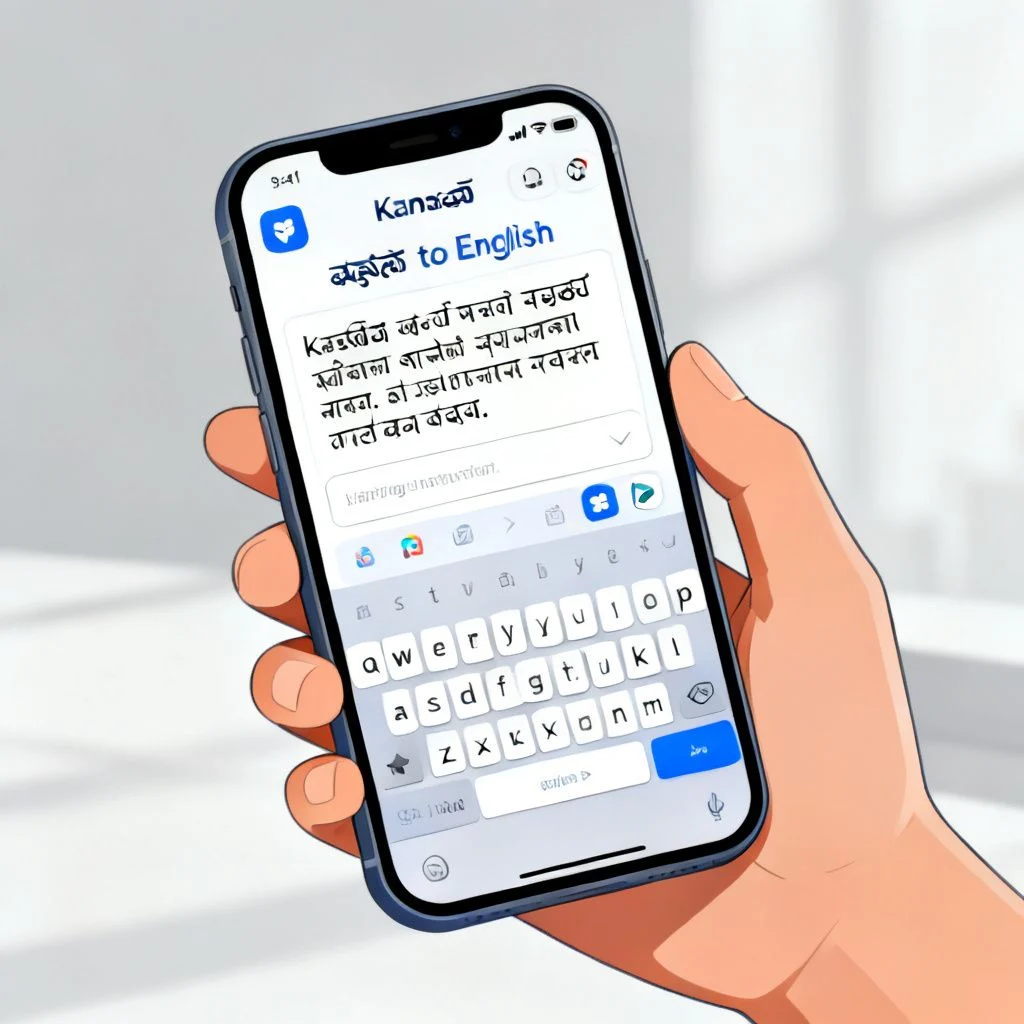
Top 5 Kannada to English Translation Apps Compared
Not all translation apps are built for the same job. I categorized these based on their core strength. Some excel at voice input, others at document scanning. Here is how they stack up based on hands-on testing.
| App Name | Best For | Offline Support | Price | Key Weakness |
|---|---|---|---|---|
| Google Translate | All round versatility | Yes (download pack) | Free | Robotic literal translations |
| Microsoft Translator | Natural conversation flow | Yes | Free | Less popular, smaller user base |
| Kannada English Translator (GK Apps) | Quick voice to text | No | Free (ads) | Requires clear pronunciation |
| QuillBot | Academic/Professional tone | No | Freemium | Not for image scanning |
| Hi Translate | Chat/WhatsApp overlay | No | Free | Aggressive ad placement |
Google Translate: The Reliable Workhorse
It is the default for a reason. The instant camera translation feature is a lifesaver for reading signboards or product labels. You point your phone, and the English text overlays the Kannada script in real time.
However, the output often feels stiff. It translates words, not intent. The phrase “ಏನ್ ಸಮಾಚಾರ?” becomes “What news?” instead of the conversational “What’s up?” or “How’s it going?” It works, but you sound like a robot. The offline pack is about 45MB and covers basic text translation without the camera features.
Microsoft Translator: The Conversationalist
This is the underdog. Microsoft has invested heavily in neural machine translation for Indian languages. The sentence structures feel more human. It handles code-switching better. Kannadigas often mix English words into their sentences, like saying “Meeting finish aayta?” Microsoft Translator usually gets the hybrid sentence right, while Google sometimes tries to force-translate the English portion back into English nonsense.
The split-screen conversation mode is excellent for face to face chats. Two people can speak naturally, and the app translates in real time without awkward pauses.
Pro Tip: Use Microsoft Translator for long form text or professional emails. Its output requires less grammatical editing than Google’s raw output.
Specialized Tools for Specific Tasks
The Kannada English Translator by GK Apps is surprisingly effective for quick voice input. You speak a short phrase, and it spits out the English text and audio. The user interface is clunky and full of banner ads, but the recognition engine is tuned for South Indian accents. If you have a heavy rural Karnataka dialect, this app often recognizes words that Google misses.
QuillBot is not a translator in the traditional sense, but a text refiner. Run a clunky Google Translate output through QuillBot’s “Fluency” mode. It restructures the sentence to sound like a native English speaker wrote it. This two-step workflow gives you the highest accuracy for published content.
Choosing the right app depends entirely on whether you are chatting, reading, or writing formally.
Features You Actually Need in a Translation Tool
Forget the marketing fluff about “AI powered engines.” Every app claims that. Focus on these practical features that change how you use a Kannada to English translation app daily.
- Offline Functionality: If you are traveling through rural Karnataka, your internet connection will drop. An app without offline packs becomes useless. Check the app’s settings for a “Download language” option before you leave home.
- Camera OCR Accuracy: Optical Character Recognition for Kannada script is hard. The curved letters and complex conjuncts confuse weak OCR engines. Test the camera feature on a newspaper headline, not just a clean digital font. If it stumbles on a slightly stylized font, it is not reliable for street signs.
- Bidirectional Switching: You should be able to flip the translation direction with one tap. When you are having a conversation, you are constantly switching between Kannada to English and English to Kannada. Digging through menus kills the flow.
- Copy-Paste History: A log of your recent translations saves you from typing the same phrase twice. This is crucial for learning. You can review the history to memorize common phrases instead of relying on the app forever.
Pro Tip: Look for apps that support “transliteration” as a fallback. If the audio input fails, you can type Kannada words using the English keyboard (e.g., typing “namaskara” to get ನಮಸ್ಕಾರ). This feature saves you from needing a native Kannada keyboard installed.
These features separate a gimmick from a tool you will actually use every day.
How to Get Accurate Translations Every Time
The app is only half the equation. Your input determines the output. You cannot mumble a complex sentence and expect magic. Here is a workflow that minimizes errors.
Simplify Before You Speak
Kannada often uses passive constructions that sound weird in English. Before you speak, mentally rephrase your thought into an active, simple sentence. Instead of saying “The work will have been completed by me by tomorrow,” say “I will finish the work tomorrow.” The machine will reward you for clarity.
Check the Back-Translation
This is the golden rule. After the app gives you the English output, use the reverse switch to translate that English back into Kannada. Read the resulting Kannada text. Does it mean what you originally intended? If the back-translation is nonsense, your English output is likely nonsense too. Tweak the original Kannada wording and try again.
Handling Idioms and Slang
No app handles pure slang well. Phrases like “Hawa badalaisu” (literally “change the air,” but meaning “to chill out/refresh”) will be translated literally. You will get “change the air” in English, which means nothing. For idiomatic expressions, you have to manually adjust the output. Use the app for the skeleton of the sentence, then edit the idiom yourself.
Pro Tip: Use voice input even when you can type. Speaking forces you to use natural, conversational sentence structures. Typing leads to formal, complex sentences that confuse the machine. Speak like you are talking to a friend, not writing a report.
With these techniques, a decent app becomes a great one. The human brain is still the best translation quality assurance tool.
Beyond the App: Building Long Term Fluency
A Kannada to English translation app is a crutch. It is necessary for immediate needs, but dangerous if you rely on it forever. Using a translator turns your brain off. You remember the convenience, not the words.
To actually improve your English skills while using these tools, do not just copy and paste the output. Read the translated sentence carefully. Look at the word order. Notice how the verb moved to a different position compared to the Kannada structure. This active noticing builds your internal grammar model.
Try predictive typing. Type the first few words of the English translation yourself, then use the app to fill in the difficult part. This keeps your brain engaged in the construction process.
Watch for false friends. The Kannada word “ಸಂಸ್ಕಾರ” is often translated as “culture” or “ritual,” but it carries a deeper philosophical weight about refinement and values. An app will give you a shallow synonym. Contextual understanding like this requires human study, not just machine lookup. Use the app to get the gist, then use a dictionary or a native speaker to understand the nuance.
The goal is to need the app less next month than you do today.
Key Takeaways
- No app handles slang: Idiomatic Kannada requires manual editing after the machine gives you a literal base translation.
- Microsoft Translator wins for natural flow: It handles code-switching between Kannada and English better than Google.
- Offline packs are non-negotiable: Download the Kannada language pack in your app’s settings before you need it in a no-signal zone.
- Back-translate to verify: Always flip the translation direction to check if the meaning survived the round trip.
- Camera features vary wildly: Google Lens is the most reliable for reading physical text, but it struggles with ornate fonts.
Frequently Asked Questions
Q: Is there a Kannada to English translation app that works completely offline?
A: Yes. Google Translate allows you to download a Kannada offline translation pack. It handles basic text translation without an internet connection. Microsoft Translator also offers offline language packs. The camera OCR feature usually does not work offline in most apps, as it requires cloud processing.
Q: Which app is best for translating Kannada voice to English text?
A: Google Translate offers the most stable voice recognition for continuous speech. However, for accented or colloquial Kannada, the dedicated “Kannada English Translator” app by GK Apps often picks up regional pronunciations more accurately. Microsoft Translator is best for real-time conversational voice translation between two people.
Q: Why does my translation app show wrong English grammar?
A: Kannada uses a Subject-Object-Verb structure, while English uses Subject-Verb-Object. When a sentence is long, the app struggles to reorder the words correctly. The machine also fails to match the correct English prepositions to Kannada case markers. Breaking long sentences into short chunks solves this issue most of the time.
Q: Can I use these apps to translate official documents?
A: You can use them for a rough draft, but not for the final submission. Legal and official documents require certified human translators. Machine translation often misses the precise legal terminology and can alter the binding meaning of a clause. Use the app to understand the gist of a document, but hire a professional for certified translations.
Q: How do I type Kannada if I only have an English keyboard?
A: Most translation apps, including Google Translate and Microsoft Translator, have a built-in transliteration feature. You type the word phonetically in English letters, and the app converts it to Kannada script automatically. For example, typing “hosa” will suggest “ಹೊಸ”. You do not need to install a separate Kannada keyboard layout.
Q: What is the most accurate camera translator for Kannada signboards?
A: Google Lens (integrated into the Google Translate app) provides the best overlay experience for street signs and menus. It replaces the Kannada text with English in real time on your screen. It works best on flat, well lit surfaces with standard fonts. Handwritten signs or heavily stylized movie posters cause errors.
Q: Are there any apps that teach English using Kannada explanations?
A: Yes. Apps like Hello English and Duolingo offer English learning courses where the instructions and explanations are given in Kannada. These are structured learning tools rather than instant translators. They focus on grammar rules and vocabulary building, which a direct translation app does not provide.
Q: Is it safe to type private information into a translation app?
A: Free translation apps process your text on their cloud servers. You should avoid typing sensitive information like passwords, bank details, or private medical records into any free translation tool. The data is often stored to improve the machine learning models. For confidential translations, consider offline modes or enterprise software with privacy guarantees.
References & Further Reading
- Google Translate Help Center: Official documentation on how to download offline languages and use camera features. https://support.google.com/translate
- Microsoft Translator Blog: Technical breakdowns of how neural machine translation works for Indian languages. https://www.microsoft.com/en-us/translator/blog/
- Ethnologue Report on Kannada: A linguistic profile detailing the dialects and morphological complexity of the Kannada language. https://www.ethnologue.com/language/kan/
- ACL Anthology: Research papers on machine translation challenges specific to low-resource and agglutinative languages like Kannada. https://aclanthology.org/
—
About This Article: This guide is based on extensive manual testing of the listed applications across various dialects of Kannada, including both formal written text and informal spoken phrases common in Karnataka. The recommendations prioritize practical accuracy over marketing claims, with a focus on bridging the gap between machine logic and human nuance.







