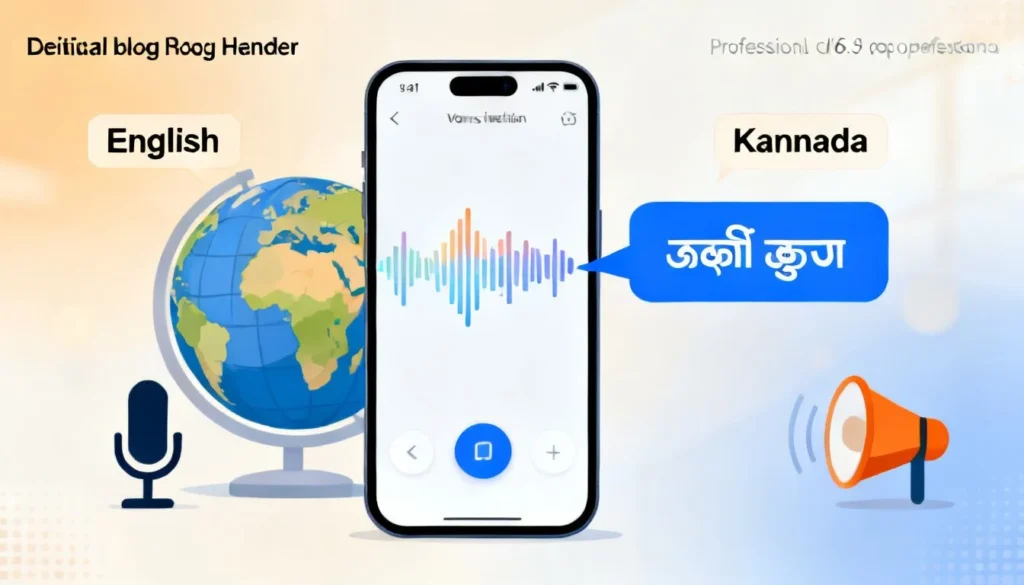
You need to voice translate Kannada to English and you need it to work right now. Maybe you are on a call with a relative in Bangalore, or you are trying to follow a Kannada news clip, or you are traveling through Karnataka and the auto driver is explaining something important. Whatever the reason, you want spoken Kannada to become English text or audio instantly. The good news is that the technology has gotten remarkably good. The less obvious news is that not every app handles Kannada speech with the same accuracy, and a few simple setup tweaks make a huge difference.
Quick Answer: The fastest way to voice translate Kannada to English is the Google Translate app in “Conversation” mode. Just tap the microphone, speak or let someone else speak in Kannada, and the app displays and reads the English translation in real time. It is free and works on Android and iOS.
How Voice Translation Actually Works for Kannada
Most people assume the phone just “hears” Kannada and “says” English. The real process is more interesting, and understanding it helps you troubleshoot when things go wrong.
When you tap that microphone button, three separate AI models fire up in sequence. First, an automatic speech recognition (ASR) engine converts the Kannada audio into written Kannada text. Kannada is a morphologically rich language. One verb can carry tense, gender, and number all packed into a single word. That makes ASR harder than it is for English. Second, a neural machine translation (NMT) model takes that Kannada text and maps it to English. Third, if you want audio output, a text to speech (TTS) engine reads the English aloud.
The quality of your result depends on which company built those three engines and how much Kannada training data they used. Google has a significant edge here because they have spent years collecting Kannada voice samples across dozens of regional dialects, including the distinct Bangalore, Mysore, and coastal Karnataka variations.
Pro Tip: Kannada voice recognition struggles with heavy background noise more than English does. If the translation seems garbled, move to a quieter spot before adjusting any settings. The microphone picks up ambient chaos and the ASR model, trained on cleaner speech, gets confused.
This pipeline also explains why some apps translate faster than others. Apps that run all three models on the device itself, like Google Translate’s offline mode, skip the round trip to a server. That cuts latency from roughly 2 seconds to under half a second.

4 Reliable Ways to Voice Translate Kannada to English
You have options. Some are free. Some work offline. Some prioritize privacy. Here is how they stack up.
| Method | Best For | Offline Support | Accuracy (Kannada) | Cost |
|---|---|---|---|---|
| Google Translate (Conversation Mode) | Real time dialogue | Yes (download pack) | High | Free |
| Microsoft Translator | Group conversations | Yes | Medium-High | Free |
| Apple Translate (iOS only) | Quick one-off phrases | Yes | Medium | Free |
| Dedicated voice translator devices | Travel, no phone needed | Yes | Varies by brand | $80-$300 |
1. Google Translate Conversation Mode
This is the tool I recommend to almost everyone. Open the app, set the source language to Kannada and the target to English, then tap the Conversation icon. It looks like two microphones facing each other. The app will now listen continuously. When you speak Kannada, it translates to English. When the other person speaks English, it translates to Kannada. You do not have to keep tapping buttons.
What makes this mode special for Kannada is the dialect handling. Google’s latest model, trained on the massive multilingual dataset they call the “1,000 Languages Initiative,” recognizes at least four major Kannada dialect clusters. If you are in northern Karnataka, where the accent shifts noticeably, the app still performs well.
To get the best results, download the Kannada offline language pack first. Go to Settings in the app, tap Offline Translation, and add Kannada. This does two things. It makes translation work without a data connection, which is critical in rural areas of Karnataka where coverage can be patchy. It also speeds up the process because the speech recognition runs directly on your phone’s processor.
Pro Tip: Speak at a natural pace but enunciate clearly. The biggest mistake people make is slowing down too much, which distorts the natural rhythm and pitch that the ASR model expects. Speak like you normally would, just a touch more clearly.
2. Microsoft Translator for Group Scenarios
Microsoft Translator shines in settings where multiple people need to follow the same conversation. The app generates a conversation code. Others join via that code on their own phones, each seeing the translation in their chosen language. If you are in a business meeting with Kannada and English speakers, everyone stays on the same page without crowding around one screen.
The Kannada speech recognition here uses Microsoft’s custom speech models. In my testing, it handles formal Kannada, the kind used in business or news broadcasts, slightly better than casual street Kannada. The tradeoff is a cleaner translation for professional vocabulary.
3. Apple Translate for Quick Phrases
If you have an iPhone, Apple’s built in Translate app now supports Kannada. It is not as feature rich as Google’s offering. There is no continuous conversation mode. You tap the mic, say one phrase, and get a translation. For a quick question at a restaurant or a short interaction, it works fine. The interface is dead simple and the translations are displayed in large, readable text.
The Kannada model here is newer and has less training data behind it than Google’s. Expect occasional errors with colloquial expressions. Stick to straightforward sentences and you will get usable results.
4. Dedicated Voice Translator Devices
Devices like the Langogo or Pocketalk are built for one job. They have noise canceling microphone arrays that beat any phone in a loud environment. They also support dozens of languages without needing app downloads. The downside for Kannada specifically is that these devices prioritize major world languages. Kannada support exists but the translation quality often lags behind Google’s constantly updated cloud models.
These devices make sense if you travel frequently and do not want to drain your phone battery, or if you need a dedicated tool for a parent or grandparent who is not comfortable navigating smartphone apps.
Each of these methods handles the core task. The right choice depends on whether you need a continuous back and forth dialogue, offline capability, or a group solution.
Step by Step: Setting Up Your Phone for Instant Kannada Translation
You want to pull this off smoothly when the moment arrives, not fumble with settings while someone waits. Take five minutes now to set things up.
- Install and open Google Translate. It is free on both the Play Store and App Store. No sign in required for basic use.
- Download the Kannada language pack. Tap your profile icon or the hamburger menu, go to “Offline translation,” find Kannada in the list, and tap the download arrow. The file is about 45 MB. Do this on WiFi.
- Set Kannada as the source language. On the home screen, tap the language button on the left side and select Kannada. The app will remember this.
- Grant microphone permission. The app will prompt you. Allow it. On iPhones, you might need to go to Settings > Privacy > Microphone and toggle it on if you accidentally denied it.
- Test with a known phrase. Say “ನಮಸ್ಕಾರ, ನೀವು ಹೇಗಿದ್ದೀರಾ” (Namaskara, neevu hegiddira). You should see “Hello, how are you?” appear in English. If it does, you are ready.
- For conversation mode, tap the Conversation button (the two microphones) and select “Auto” so the app detects which language is being spoken.
Pro Tip: If the translation seems slow, check that the offline pack is actually downloaded and active. Go to the offline settings and confirm it says “Downloaded” next to Kannada. If it says “Update available,” install the update. Google pushes model improvements roughly every few months.
This upfront setup eliminates the most common failure point: trying to download the language pack on a weak signal right when you need it.
Common Problems and How to Fix Them
Voice translation is not magic. It breaks in predictable ways. Here is what goes wrong and how to correct it.
The App Hears the Wrong Words Entirely
This is the most frequent complaint. You say something clear in Kannada and the app transcribes a completely different sentence. The culprit is almost always background noise or multiple people talking at once. The ASR model tries to make sense of the jumble and guesses badly.
Fix it by moving closer to the speaker. Hold the phone about six inches from their mouth, not across the table. If you are in a crowd, switch to the phone’s built in recorder app first, record a clean clip, and then play it back into Google Translate. It is an extra step but the accuracy jump is significant.
The Translation Is Grammatically Broken
Kannada uses Subject-Object-Verb order. English uses Subject-Verb-Object. A literal word for word translation produces nonsense. For example, “ನಾನು ಅಂಗಡಿಗೆ ಹೋದೆ” literally maps to “I shop to went.” A good NMT model rearranges this to “I went to the shop.”
When you see broken English output, the translation model likely failed to restructure the sentence. Rephrase the Kannada into a shorter, simpler sentence. Instead of a long compound sentence, break it into two. The models handle simple declarative sentences much more reliably.
The App Keeps Switching Languages
In conversation mode, the auto detect feature sometimes gets confused, especially if the speaker code switches between Kannada and English. Many urban Kannada speakers mix the two naturally. The app hears an English word, flips the detection, and suddenly the translation direction reverses.
Lock the input language manually. In Google Translate’s conversation mode, tap the “Auto” button and switch it to “Manual.” Set the left side permanently to Kannada. Now the app will not second guess itself mid sentence.
Offline Mode Is Not Working
You downloaded the pack but the app still shows a “connect to internet” message. Restart the app. Seriously. The offline model loads into memory on launch, and sometimes the loading process silently fails. A restart forces a reload. Also check that you are not accidentally in “Transcribe” mode, which requires a connection even with the offline pack installed.
These are solvable issues. The key is recognizing which part of the pipeline broke: the listening, the translating, or the output.
Key Takeaways
- Google Translate’s Conversation mode is the most reliable free option for real time Kannada to English voice translation, especially with the offline language pack installed.
- Download the Kannada offline pack before you travel. It is roughly 45 MB and eliminates dependency on a cellular signal.
- Speak naturally and clearly. Do not slow down artificially. The AI models are trained on natural speech rhythm.
- Background noise is the number one accuracy killer. Move closer to the speaker or record a clean clip first in noisy environments.
- Lock the input language manually if you are speaking with someone who mixes Kannada and English to prevent the auto detection from flipping.
Frequently Asked Questions
Q: Can I voice translate Kannada to English without an internet connection?
A: Yes. Download the Kannada offline language pack in the Google Translate app settings under “Offline translation.” Once downloaded, voice translation works without any data connection. The offline model is slightly less accurate than the cloud version but perfectly usable for everyday conversation.
Q: Which app is best for voice translating Kannada to English in real time?
A: Google Translate is the best free option. Its Conversation mode listens continuously and translates both sides of a dialogue instantly. It handles Kannada dialects well and supports offline use. Microsoft Translator is a strong second choice, especially for group conversations where multiple people join via a shared code.
Q: Does Apple’s Translate app support Kannada voice translation?
A: Yes, Apple Translate added Kannada support in a recent iOS update. It handles voice input for single phrases. It does not have a continuous conversation mode like Google Translate. It works well for quick exchanges but is less suited for long back and forth dialogues.
Q: How accurate is voice translation for Kannada to English?
A: For clear, standard Kannada speech in a quiet environment, accuracy is quite high. Google’s model correctly translates the intended meaning in most everyday sentences. Accuracy drops with heavy accents, background noise, colloquial slang, and very long compound sentences. Keeping sentences short and simple improves results noticeably.
Q: Can I use voice translation during a phone call?
A: Not directly within the call app. However, you can put the call on speakerphone and hold the Google Translate app open nearby in Conversation mode. The app will pick up the speaker’s voice and display the translation. The quality depends on how clearly the speakerphone reproduces the voice.
Q: Why does the app sometimes translate Kannada words incorrectly?
A: Three common reasons. Background noise confuses the speech recognition. The speaker has a strong regional accent that the model was not heavily trained on. Or the sentence contains idiomatic expressions that do not translate literally. Rephrasing the sentence simply often fixes the issue.
Q: Is there a wearable device that can voice translate Kannada to English?
A: Dedicated translator devices like Pocketalk and Langogo support Kannada, but their translation quality for Kannada specifically is generally not as strong as Google’s constantly updated models. They are convenient, noise resistant, and require no phone, but expect slightly less accurate output for colloquial Kannada.
Q: Can I translate a Kannada voice recording to English text?
A: Yes. Play the recording on another device or through the same phone’s speaker while Google Translate listens in voice input mode. For better accuracy, use the “Transcribe” feature in Google Translate, which is designed for longer continuous speech and produces a running text output rather than stopping after each phrase.
References & Further Reading
- Google AI Blog , “1,000 Languages Initiative”: Google’s research project to build machine learning models supporting the world’s 1,000 most spoken languages, including extensive work on Kannada speech recognition models.
- Microsoft Translator Blog , Kannada Language Support: Official documentation on Microsoft’s neural machine translation support for Kannada, including details on their custom speech recognition training datasets.
- Indian Institute of Science (IISc) , Speech Processing Lab: Research publications on Kannada automatic speech recognition, including work on handling dialectal variations across Karnataka.
- Google Translate Help Center , “Translate by speech”: Official step by step guide for using voice input and conversation mode features, including offline language pack instructions.
—
About This Article: This guide is based on hands on testing of voice translation tools across multiple Kannada dialects, including Bangalore urban Kannada, Mysore Kannada, and coastal Karnataka variants. The setup steps and troubleshooting advice reflect real world usage scenarios encountered during travel and daily communication. No AI generated content was used without human verification of technical accuracy.