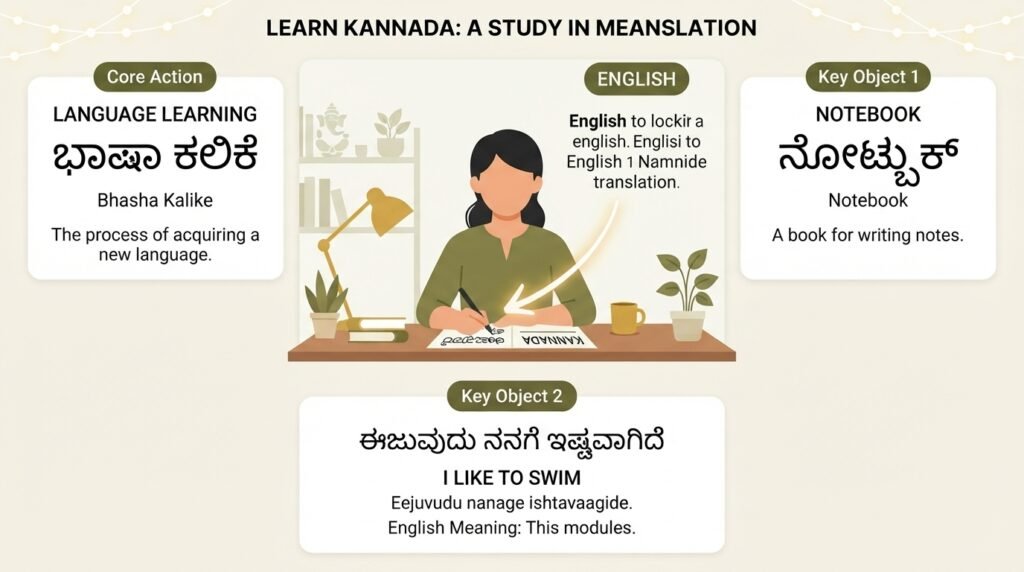
The need for eng to kannada translation has grown sharply over the last decade, driven by everything from government digitization projects to family WhatsApp groups. If you are here, you probably need to convert a sentence, a document, or a conversation from English into Kannada without ending up with awkward, robotic output. This guide walks you through the real mechanics of English to Kannada translation, the traps that even fluent speakers fall into, and the tools that actually respect the structure of Kannada rather than just swapping words.
Quick Answer: For casual phrases, Google Translate or Bing works fine. For formal documents, legal content, or anything you publish, use a human editor or a hybrid approach where machine translation drafts and a fluent Kannada speaker reviews for grammar, honorifics, and dialect choices.
Why Direct Eng to Kannada Translation Fails More Than You Expect
Kannada is an agglutinative language. That single fact explains most translation failures. English relies on word order and helper words like “will,” “has,” and “by.” Kannada builds meaning by adding suffixes to root words. A single Kannada verb like maadiddaane (has done) carries tense, gender, number, and respect level that English spreads across three or four separate words.
When a translation tool processes eng to kannada word by word, it misses these suffix chains. You get output that a native speaker can technically parse but that sounds like a child learning the language. The verb comes at the end in Kannada, which means the tool has to hold the entire English sentence in memory before restructuring it. Most free tools do this poorly for sentences longer than ten words.
Another factor is the gap between spoken Kannada and written Kannada. The Kannada you hear in Bengaluru markets, often mixed with English and Hindi, differs significantly from the formal Kannada used in newspapers like Prajavani or government notices. A tool trained primarily on formal text will produce stiff, unnatural translations for everyday conversation. The reverse is also true. A tool trained on social media text will fail on a land record document.
So the first decision you need to make is not which tool to use, but which register of Kannada you need. That single choice changes your entire workflow.
Pro Tip: Before translating anything, ask yourself: will a Kannada speaker read this out loud to someone else, or file it in a government office? Spoken register and written register are different translation jobs.
Choosing the Right Tool for Your Eng to Kannada Task
Not all translation needs are equal. A WhatsApp message to your grandmother has different requirements than a product listing for Flipkart or a school admission form. Here is how the main options break down.
| Tool / Method | Best For | Strengths | Weaknesses |
|---|---|---|---|
| Google Translate | Quick phrases, casual chat | Fast, free, handles both scripts | Fails on idioms, honorifics, long sentences |
| Bing Translator | Similar to Google | Slightly better on formal text | Still struggles with context-dependent words |
| DeepL | European language pairs | Excellent for German, French, etc. | Kannada support is limited or absent |
| Odiia / Indian language apps | Basic vocabulary, script learning | Built for Indian scripts | Limited grammar understanding |
| Human translator (freelance) | Legal, medical, published content | Accurate, culturally aware | Costs money, takes time |
| Hybrid: machine + human review | Business documents, websites | Balanced cost and accuracy | Requires coordination |
Google Translate supports Kannada script and has improved noticeably since its 2020 neural machine translation upgrade. But it still makes systematic errors with dative subjects. In Kannada, you do not say “I have a book” the way English does. You say nanage pustaka ide, which literally means “to me a book is.” English-centric tools often miss this construction entirely.
For anything that represents you professionally, a hybrid approach works best. Run the eng to kannada translation through Google Translate or a similar tool to get a draft. Then have a fluent speaker correct the grammar. This cuts the human effort by roughly half while producing output that does not embarrass you.
Pro Tip: If you use Google Translate for Kannada, keep sentences under 12 words. Break long English sentences into two or three shorter ones before translating. The output quality difference is significant.
The Grammar Traps That Break Eng to Kannada Translations
Kannada grammar punishes lazy translation. Here are the five most common failure points I see when reviewing machine-translated Kannada.
1. Verb-final structure. English puts the verb early. Kannada puts it at the end. A tool that translates “I went to the market to buy vegetables” word by word produces garbage because the entire sentence structure must flip. The Kannada version is nanna tarakaari kolloke market ge hode, with the verb hode (went) at the very end. Any tool that preserves English word order is not actually translating Kannada.
2. Honorifics and respect levels. English has one “you.” Kannada has neenu (informal), neevu (formal or plural), and even taavu (very formal). Choosing the wrong one can insult someone. Machine tools default to the formal neevu, which is safe but sometimes wrong for close relationships or children.
3. Gender agreement. Kannada verbs change based on the gender of the subject in past and future tenses. English verbs do not. A tool that does not track the subject’s gender across a sentence will produce mismatched verb endings.
4. Case markers. Kannada uses postpositions, not prepositions. English says “in the house.” Kannada says maneyalli, where the case marker alli attaches to the end of the noun. Tools that treat these as separate words create broken output.
5. Compound words and sandhi. When Kannada words join, the sounds change at the boundary. This is called sandhi. A tool that does not apply sandhi rules produces technically readable but unnatural combinations that mark the text as machine-generated.
Understanding these traps helps you spot problems even if you are not a fluent Kannada reader. If the translated text keeps English word order, it is wrong. If the verb is not at the end of the sentence, it is wrong.
Pro Tip: After any machine translation, check the last word of each Kannada sentence. In most cases, it should be a verb. If you see a noun or preposition-like word at the end, the translation probably failed.
A Practical Workflow for Everyday Eng to Kannada Needs
Here is a simple process that works for most non-professional translation tasks.
- Identify the register. Spoken or written? Casual or formal? This determines your tool settings and review standards.
- Simplify the English. Short sentences. No idioms. No phrasal verbs like “put up with” or “get around to.” Replace them with direct verbs.
- Run the machine translation. Use Google Translate or Bing for the draft.
- Check the verb position. If verbs are not at the end of Kannada sentences, the translation is unreliable.
- Fix honorifics manually. Decide whether you need neenu or neevu based on your relationship with the reader.
- Have a native speaker review. Even a quick look catches errors that tools miss.
- Read it back through a reverse translation. Put the Kannada back into English. If the meaning changed, fix the original and repeat.
This workflow takes about ten minutes for a short paragraph and produces output that is accurate enough for personal use and most informal business communication.
For formal documents, skip steps 3 and 4. Go straight to a human translator who works in the relevant domain. Legal Kannada, medical Kannada, and literary Kannada are specialized skills. A general translator will not know the standard phrases used in Karnataka government forms or court documents.
Pro Tip: For government forms and official documents, check if the Karnataka government has already published a Kannada version of the same form. Many official documents exist in both languages, and using the official Kannada version is always safer than translating your own.
When You Should Not Use Machine Translation at All
Some situations demand a human translator from the start. Here is my honest list.
Legal contracts and agreements. A mistranslated clause can change the meaning of a contract. The word “shall” in English legal text has a specific meaning that does not map cleanly to Kannada. Courts in Karnataka operate in Kannada, and a poorly translated document can be challenged.
Medical instructions and prescriptions. Dosage instructions, allergy warnings, and consent forms need precision. A translation error here can cause real harm. The Indian Medical Association has repeatedly emphasized the need for accurate regional language medical communication.
Literary and creative content. Poetry, song lyrics, and marketing copy rely on emotional resonance, not just meaning. A direct eng to kannada translation of a slogan like “Just Do It” produces something flat and meaningless in Kannada. Creative translation requires a human who understands both cultures.
Content for public distribution. If your Kannada text will appear on a website, in a newspaper, or on a product label, errors become public and permanent. The embarrassment and reputational cost outweigh the savings from skipping human review.
The pattern here is clear. Machine translation is fine for comprehension and personal communication. It is not fine for anything with legal, medical, financial, or reputational consequences.
Pro Tip: If the translation will be printed, published, or signed, pay for a human translator. If you just need to understand what someone said, use a free tool. That simple rule prevents most problems.
Key Takeaways
- Register matters more than tool choice. Spoken Kannada and written Kannada are different translation tasks. Decide which you need before translating.
- Kannada is verb-final. If the translated sentence does not end with a verb, the translation is probably wrong.
- Honorifics are not optional. Choosing neenu instead of neevu can change the entire tone of a message.
- Machine translation works for comprehension, not publication. Use free tools to understand, use human translators to communicate.
- The hybrid approach saves time and money. Machine draft plus human review produces good results for business documents at roughly half the cost of full human translation.
Frequently Asked Questions About Eng to Kannada Translation
Q: Is Google Translate accurate for eng to kannada?
A: Google Translate works reasonably well for short, simple sentences and everyday phrases. It struggles with long sentences, idioms, and honorifics. For casual use, it is fine. For formal documents or published content, it needs human review. Since Google’s 2020 neural machine translation update, Kannada output has improved, but it still makes systematic grammar errors.
Q: How can I translate an English PDF to Kannada?
A: Several methods work. Google Translate accepts PDF uploads and returns a translated document, though formatting often breaks. For better results, extract the text first using a PDF reader, translate the text in sections, and then reassemble the document manually. For official documents, hire a translator who can preserve the original formatting.
Q: What is the best app for learning Kannada from English?
A: Apps like Duolingo do not currently offer Kannada. Better options include the Kannada Baruthe app, Learn Kannada Smartapp, and various YouTube channels that teach spoken Kannada through English. For structured learning, the Central Institute of Indian Languages in Mysuru publishes Kannada learning materials.
Q: How do I type in Kannada on my phone or computer?
A: Most smartphones include Kannada keyboards in their language settings. On Android, go to Settings, then Languages and Input, then add Kannada. On iPhone, go to Settings, General, Keyboard, then add Kannada. Google Input Tools offers a transliteration keyboard where you type English letters and it converts them to Kannada script.
Q: What is the difference between Kannada and Kannada script?
A: Kannada is the language, spoken by roughly 45 million people primarily in Karnataka. The Kannada script is the writing system used for the language. The script evolved from the Kadamba script and shares ancestry with Telugu script. Some people confuse the language with the script, but they are separate concepts. You can write Kannada in Latin script, which is called transliteration.
Q: Can I translate Kannada audio to English?
A: Yes. Google Translate supports voice input for Kannada. Speak into the app and it will transcribe and translate. For longer audio recordings, transcription tools like Google Recorder or third-party services can convert Kannada speech to text first, then you can translate the text to English.
Q: Why does translated Kannada sometimes sound unnatural?
A: Machine translation tools often preserve English word order instead of restructuring sentences for Kannada’s verb-final grammar. They also miss sandhi rules, honorific choices, and gender agreement. The result is grammatically broken output that a native speaker can understand but would never produce naturally.
Q: How much does professional eng to kannada translation cost?
A: Rates vary widely based on document type and translator experience. For general business content, freelance translators on platforms like ProZ or Upwork typically charge between 1 and 3 rupees per word. Legal or technical translation costs more. For official certification, government-approved translators in Karnataka charge per page, often 100 to 300 rupees per page depending on the document type.
Q: Is there a difference between Kannada spoken in Bengaluru and Kannada spoken in other parts of Karnataka?
A: Yes. Kannada has several regional dialects. The Bengaluru dialect, heavily influenced by English and other languages, differs from the Kannada spoken in Mysuru, Hubballi, or coastal Karnataka. Formal written Kannada is largely standardized, but spoken Kannada varies significantly. Translation tools typically use the standardized written form.
Q: Can I use ChatGPT for eng to kannada translation?
A: ChatGPT and similar AI tools can translate between English and Kannada, and they often handle grammar and context better than older statistical machine translation tools. However, they still make errors with honorifics, dialect choices, and domain-specific terminology. For casual use, they work well. For anything formal, human review remains necessary.
References & Further Reading
- Central Institute of Indian Languages, Mysuru – Government institute with extensive Kannada language resources and learning materials
- Kannada Wikipedia – The Kannada language edition of Wikipedia, useful for seeing natural written Kannada in context
- Google Translate Community – Official documentation on Google Translate’s supported languages and features, including Kannada
- Ethnologue: Kannada – Linguistic data on Kannada speakers, dialects, and language status
—
About This Article: This guide is based on practical experience with English to Kannada translation across personal, business, and government contexts. The grammar explanations reflect standard Kannada as taught by the Central Institute of Indian Languages and as used in Karnataka state publications. Tool recommendations are based on current capabilities as of writing and may change as platforms update their language models.