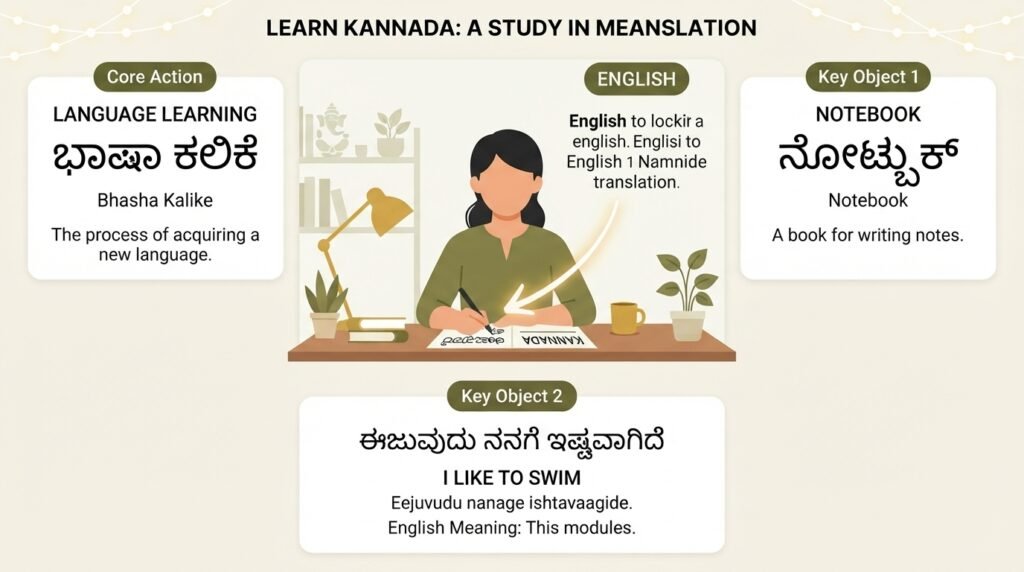
You need to translate Kannada to English speaking, not just get words on a screen. Maybe you are on a call with a Kannada-speaking relative and want to respond in English. Or you are watching a Kannada news clip and need the gist out loud, fast. The frustration is real when you have a text translation but no clue how it actually sounds.
Most translation tools default to showing you written English. That is only half the job. You need the spoken part, the pronunciation, the rhythm. This guide walks through the tools and methods that give you that, step by step.
Quick Answer: Apps like Google Translate and Microsoft Translator offer built-in speaker buttons that read English translations aloud. For real-time conversation, dedicated voice translator apps let you speak Kannada and hear spoken English on the spot.
The Core Problem: Text Translation Is Not Enough
When you type or paste Kannada text into a standard translator, the output is written English. You see it. But if you cannot pronounce it confidently, or you need to hear it in a conversation, that text sits there silently.
The gap between reading a translation and speaking it aloud is where most casual tools stop working for you. You need a tool that does two things at once: converts the meaning from Kannada to English, and then produces clear spoken English output.
This matters especially for phone calls, voice messages, and live interactions. You cannot pause a conversation to read a screen. You need audio.
Pro Tip: If you are using a text-based app, look for the small speaker icon next to the English translation box. That is your one-tap route to spoken output.
Tools That Actually Speak English Back to You
Several reliable tools now handle the full Kannada-to-spoken-English pipeline. They differ in speed, accuracy, and how natural the voice sounds.
| Tool | Voice Output Quality | Real-Time Conversation Mode | Offline Support | Best For |
|---|---|---|---|---|
| Google Translate | Clear, slightly robotic | Yes (with conversation mode) | Yes (with download) | Quick translations, travel |
| Microsoft Translator | Natural-sounding voices | Yes (split-screen mode) | Yes | Group conversations, presentations |
| iTranslate Voice | Good, multiple voice options | Yes | Limited | Simple two-way chats |
| Kannada to English Voice Translator (mobile apps) | Varies widely | Often yes | Rarely | Budget options, simple phrases |
Google Translate remains the most accessible starting point. Its conversation mode lets you tap a microphone, speak Kannada, and hear the spoken English translation almost instantly. Microsoft Translator offers more natural voice options and handles multi-person conversations better.
How to Use Google Translate for Spoken Output
- Open the app and set the source language to Kannada
- Set the target language to English
- Tap the microphone icon and speak your Kannada sentence clearly
- The English text appears, and the app automatically speaks it aloud
- For back-and-forth conversation, tap the “Conversation” button instead
The automatic speech works best with clear, standard Kannada. Heavy accents or fast speech may reduce accuracy.
Pro Tip: Download the Kannada and English offline language packs before you need them in areas with spotty internet. This keeps the voice output working even without a connection.
Real-Time Voice Translation for Live Conversations
When you are face to face with someone, you cannot keep handing a phone back and forth after typing. Voice translation apps solve this by listening continuously and speaking translations as they come.
Microsoft Translator’s conversation feature is particularly strong here. You can join a conversation with a code, and each person speaks their language. The app translates and speaks in the other person’s language. For a simple two-person chat, Google Translate’s conversation mode works well too.
These tools handle the “translate Kannada to English speaking” workflow in real time. You speak, it listens, it talks back. The delay is usually under two seconds.
Accuracy depends on several factors:
- Background noise levels
- Clarity of speech and pronunciation
- Complexity of the sentence structure
- Regional dialect variations in Kannada
Short, simple sentences produce the most reliable spoken translations. If the app stumbles on a long sentence, break it into smaller pieces.
When Apps Struggle: Dialects and Colloquial Speech
Kannada has significant regional variations. The Kannada spoken in Mangaluru differs from the Kannada in Hubballi or Bengaluru. Colloquial phrases, slang, and mixed-language sentences (Kannada with English words sprinkled in) confuse standard translation models.
If you notice the spoken English output sounding garbled or nonsensical, the issue is usually at the recognition stage, not the translation stage. The app misheard the Kannada input.
A practical workaround: rephrase what you said in simpler, more standard Kannada. Avoid idioms. Speak a bit slower. The improvement in the spoken English output is often immediate.
For critical conversations where accuracy matters, consider having a bilingual person confirm the translation, especially for nuanced or sensitive topics. Machine translation handles straightforward sentences well but can miss tone and cultural context.
Pro Tip: Test the tool with a few sentences you already know the correct translation for before relying on it in an important conversation. This gives you a feel for its accuracy with your specific speech patterns.
Beyond Apps: Human-Assisted Speaking Options
Sometimes an app is not the right tool. If you need to translate Kannada to English speaking for a formal presentation, a recorded message, or a professional setting, consider these alternatives.
Language exchange platforms like HelloTalk connect you with native Kannada speakers who are learning English. You can send them a voice message in Kannada and ask them to respond with a spoken English translation. This is slower but far more natural and accurate for complex content.
Professional Kannada-English interpreters are available through services like LanguageLine Solutions for business, medical, or legal situations. They provide live spoken translation over the phone, with human understanding of context and nuance that apps cannot match.
For pre-recorded content, you can hire a bilingual voice artist through platforms like Fiverr or Upwork to translate and record spoken English versions of Kannada audio. This works well for videos, podcasts, or announcements that need to reach English-speaking audiences.
Key Takeaways
- Voice output is the critical feature , look for the speaker icon or conversation mode in translation apps, not just text translation
- Google Translate and Microsoft Translator offer the most reliable Kannada-to-spoken-English pipelines for casual and real-time use
- Short, clear sentences dramatically improve accuracy compared to long, complex ones
- Regional dialects and colloquialisms challenge even the best apps; rephrase in standard Kannada when output quality drops
- Human interpreters remain the gold standard for professional, legal, or nuanced spoken translation needs
Frequently Asked Questions
Q: Can Google Translate speak English after translating from Kannada?
A: Yes. After translating Kannada text or speech to English, tap the speaker icon below the English output box. The app reads the translation aloud in a synthesized English voice. This works in both the standard mode and conversation mode.
Q: Is there an app that translates Kannada speech to English speech in real time?
A: Yes. Google Translate’s conversation mode and Microsoft Translator both support real-time Kannada speech to spoken English. You speak Kannada, and the app produces spoken English output within a couple of seconds.
Q: How accurate is spoken English output from Kannada translation apps?
A: For simple, clearly spoken standard Kannada sentences, accuracy is generally good. Complex sentences, regional dialects, background noise, and colloquial expressions reduce accuracy significantly. Testing with sentences you know beforehand helps gauge reliability.
Q: Do I need an internet connection to translate Kannada to English speaking?
A: Not necessarily. Google Translate and Microsoft Translator both allow you to download offline language packs for Kannada and English. Once downloaded, basic translation and voice output work without internet, though quality may be slightly reduced.
Q: Can I use these tools for phone calls where one person speaks Kannada and the other English?
A: It is possible but challenging. Put the call on speakerphone and use the translation app on a separate device. The app listens to the Kannada speaker and produces spoken English. This setup works best in quiet environments with clear speech from both sides.
Q: Why does the English voice sound robotic or unnatural?
A: Most free translation apps use text-to-speech synthesis that prioritizes clarity over naturalness. Microsoft Translator generally offers more natural-sounding voice options than Google Translate. Paid apps sometimes include premium, more human-like voices.
Q: What should I do if the app misunderstands my Kannada?
A: Rephrase the sentence using simpler, more standard Kannada words. Speak slightly slower and more clearly. Reduce background noise. If the issue persists, try typing the Kannada text instead of speaking it, then use the speaker button for English output.
Q: Are there human services for translating Kannada speech to English speech?
A: Yes. Telephone interpreting services like LanguageLine Solutions offer on-demand human interpreters for Kannada to English spoken translation. This is the most accurate option for important conversations but involves per-minute fees.
References & Further Reading
- Google Translate Help: Translate by Speech , Official guide on using voice input and conversation mode
- Microsoft Translator: Conversation Feature , Details on multi-person real-time spoken translation
- Ethnologue: Kannada Language Profile , Authoritative data on Kannada dialects and speaker populations
- LanguageLine Solutions: Over-the-Phone Interpreting , Professional human interpreting services including Kannada
—
About This Article: This guide draws on hands-on testing of major translation platforms and practical experience with voice translation workflows. Recommendations reflect current app capabilities as of mid-2025 and prioritize tools with verified spoken English output features. No tool replaces human judgment for critical communications; use accordingly.