Learning how to translate english paragraph to kannada is less about word-for-word replacement and more about carrying the thought across two very different language structures. English follows a Subject-Verb-Object pattern, while Kannada uses Subject-Object-Verb. A direct swap almost always produces gibberish. This guide walks you through methods that actually work, from quick digital tools to careful manual translation, so your paragraph reads naturally to a native Kannada speaker.
Quick Answer: The fastest reliable way to translate an English paragraph to Kannada is to use Google Translate for a first draft, then manually correct the verb placement, honorifics, and gendered nouns. For formal or official content, pair a machine translation with a native speaker review. Free tools work well for gist-level understanding, but they still struggle with Kannada’s agglutinative structure, where suffixes stack onto root words to change meaning.
Understanding the Core Challenge Before You Start
English and Kannada do not think alike. Kannada is an agglutinative language. That means it glues suffixes to root words to express tense, case, number, and gender. A single Kannada word like “maaduttidda” (ಮಾಡುತ್ತಿದ್ದ) unpacks into “was doing” in English. Machine translation engines have improved dramatically, but they still trip over this stacking process, especially in longer paragraphs where context determines which suffix stack is correct.
The script itself is another layer. Kannada uses an abugida script, where consonant-vowel sequences form distinct characters. If you are only after the meaning, a rough translation might suffice. If you need the output in Kannada script for publication or communication, accuracy in character formation matters. Mistranslating a vowel length, say using “ಅ” instead of “ಆ”, can change “van” (vana) to “forest” (vāna) in some contexts.
Step 1: Prepare Your English Paragraph for Translation
Before you touch any tool, clean up the source text. Machine translation feeds on clarity.
- Break long, winding sentences into shorter ones. A 40-word English sentence will almost certainly produce a tangled Kannada output.
- Remove idioms and culturally specific metaphors. “Hit the nail on the head” translates to nonsense. Replace it with plain language like “exactly right.”
- Spell out contractions. “Don’t” becomes “do not,” “it’s” becomes “it is.” Transliteration engines handle full forms better.
- Check for ambiguous pronouns. If your paragraph says “He told him he was late,” clarify who “he” refers to. Kannada pronouns carry gender and formality markers that English lacks, and the tool cannot guess correctly without context.
Pro Tip: If the paragraph contains names of specific people or places, type them in all caps on a separate line before translating. This signals to most translation engines to treat them as proper nouns rather than attempting a literal translation. For example, “BANGALORE” stays as Bangalore instead of becoming some garbled approximation.
Step 2: Choose Your Primary Translation Method
You have three broad paths. The right one depends on why you need the translation.
| Method | Best For | Accuracy Level | Cost |
|---|---|---|---|
| Google Translate / Bing | Casual understanding, social media posts | Moderate (70-80% for simple text) | Free |
| Dedicated Indian Language Apps (Kannada Baruthe, etc.) | Learning, short phrases, script practice | Low to Moderate | Free / Freemium |
| Professional Human Translator | Legal, medical, official documents, websites | Near 100% | Paid per word |
| AI with Native Review | Business communication, newsletters, articles | High (90%+) | Mixed |
Most people will start with Google Translate because it is fast and handles the Kannada script well. Type or paste your cleaned-up paragraph. Select English to Kannada. The output you get is your raw draft. Do not copy and paste it anywhere yet.
Pro Tip: After getting the Google Translate output, run it backward through the same tool. Switch the direction to Kannada to English. If the back-translation misses the original meaning, the Kannada output is flawed. This “round-trip” test catches major errors in seconds.
Step 3: Correct the Verb Position and Sentence Structure
This is the step that separates readable Kannada from obvious machine translation. Take your raw draft and look at the verbs. In English, the verb comes early. In Kannada, the verb always comes at the very end of the clause.
If your English paragraph was “The boy ate the mango because he was hungry,” a raw machine output might try to preserve the English order. A correct Kannada structure would be closer to “Boy mango ate because he hungry was.” You need to mentally, or with the help of a grammar reference, shift each clause’s main verb to its end.
Also check the postpositions. English uses prepositions (in, on, at, from). Kannada uses postpositions that attach to the end of the noun. “From Bangalore” becomes “Bangalore-inda” (ಬೆಂಗಳೂರಿಂದ). Ensure the tool attached the right suffix and did not just leave the English preposition hanging in Roman script.
Step 4: Adjust Honorifics and Formality Levels
English has no grammatical formality built into its verbs and pronouns, apart from word choice. Kannada has a rich system of honorifics. Using the wrong level can sound rude, overly familiar, or comically stiff.
Decide who your audience is:
- Use “neenu” (ನೀನು) and casual verb endings for close friends, children, or a younger sibling.
- Use “neevu” (ನೀವು) and respectful verb endings for elders, strangers, and any formal communication. When in doubt, default to this respectful form.
A machine tool often defaults to the respectful plural “neevu,” which is safer, but it might mix casual verbs with respectful pronouns in the same paragraph. Scan your draft. If you see “neevu” paired with a verb ending like “-iya” instead of “-ira,” fix it manually. Consistency signals competence.
Step 5: Verify Gendered Nouns and Adjectives
Kannada nouns carry gender: masculine, feminine, and neuter. Adjectives and verbs must agree with the noun’s gender. English adjectives do not change form based on gender, so this is a common failure point.
For example, “He is a good boy” translates to “Avanu olleya huduga” (ಅವನು ಒಳ್ಳೆಯ ಹುಡುಗ). “She is a good girl” translates to “AvaLu olleya hudugi” (ಅವಳು ಒಳ್ಳೆಯ ಹುಡುಗಿ). The adjective “olleya” (good) stays the same here, but the verb form and noun endings shift. In more complex sentences, the adjective itself can change. Review each sentence to confirm the subject’s gender matches the verb and adjective endings. If you are unsure, consulting a basic Kannada grammar chart for gender agreement is faster than guessing.
Step 6: Final Read-Aloud and Script Check
If you can read Kannada script, read the translated paragraph out loud. Does it sound like something a person would actually say? Awkward phrasing stands out immediately when spoken. If you cannot read the script, copy the text and paste it into a tool with a text-to-speech feature for Kannada. Hearing the rhythm helps catch unnatural word clusters.
Visually inspect the script for common Unicode errors. Sometimes the diacritics (the “matras” that modify consonants) get detached and appear as separate characters next to the letter instead of combining with it. This makes the text illegible to a native reader. If you see standalone dots or lines next to characters, the encoding broke. Re-pasting the text as plain text into a Unicode-compliant text editor can sometimes fix this.
Pro Tip: For paragraphs destined for print or formal email, change the font to Noto Sans Kannada or Tunga. If any characters look like empty boxes or broken symbols, the underlying Unicode is wrong. A correct translation will render perfectly in any standard Kannada font.
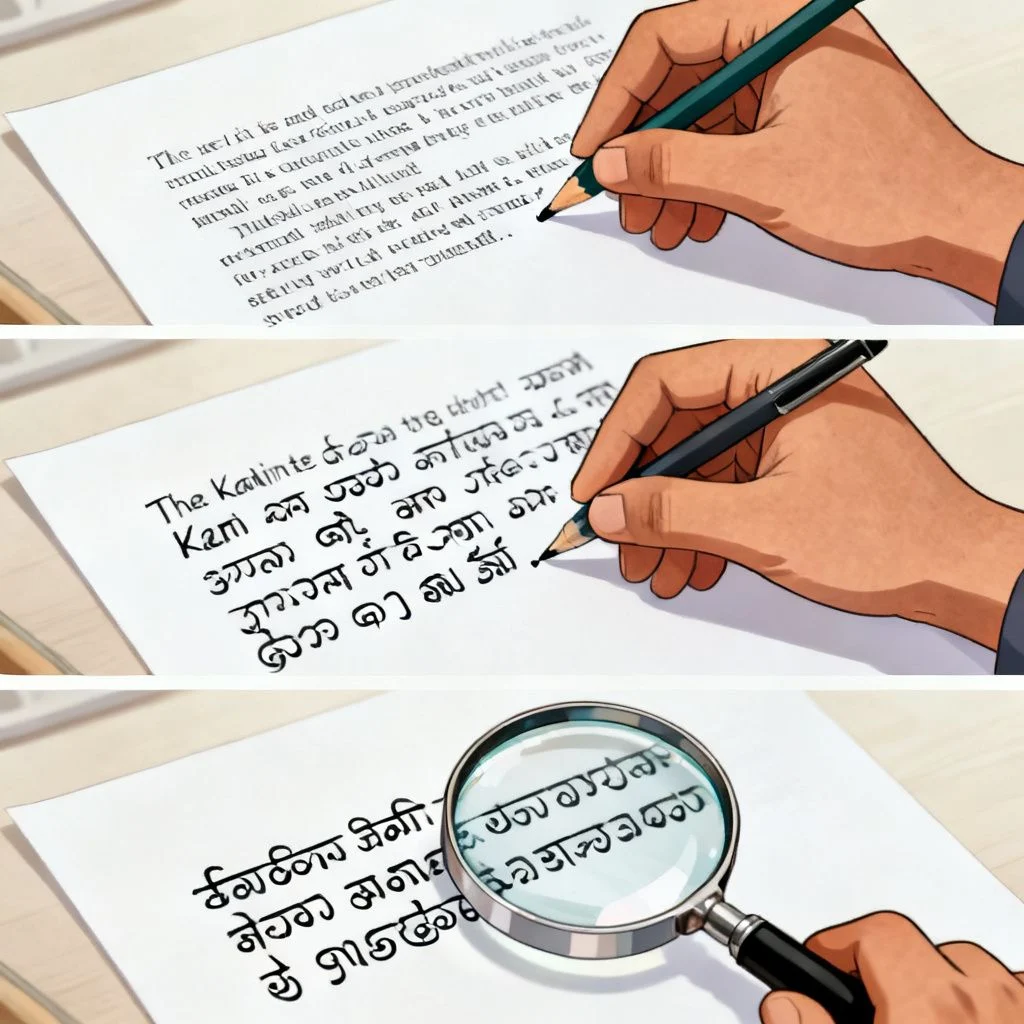
Essential Tools for Kannada Translation
You do not need expensive software. A small set of free resources does the heavy lifting.
- Google Translate: Best for first-draft speed and handling large paragraphs.
- Google Input Tools (Kannada): Allows phonetic typing. You type “namaskara” in English and it converts to ನಮಸ್ಕಾರ. Essential for making manual corrections without a Kannada keyboard.
- A Kannada-English Dictionary App: Use “English Kannada Dictionary” by NicheTech or similar for verifying individual word meanings.
- QuillBot or Grammarly: Run your original English paragraph through this first to fix grammar errors. Cleaner English input produces better Kannada output.
- Bing Microsoft Translator: Often handles technical and formal English slightly better than Google Translate for Indian languages. Worth comparing outputs for critical paragraphs.
Common Pitfalls That Produce Unnatural Results
Even with a careful process, certain English constructions consistently fail. Knowing them saves you time.
- Passive voice: “The cake was eaten by the boy” creates a tangled mess. Change it to active voice: “The boy ate the cake.”
- Phrasal verbs: “Give up,” “look into,” “break down.” Replace them with single-word equivalents like “surrender,” “investigate,” “collapse.”
- Abstract nouns as subjects: “The implementation of the policy required patience.” Rephrase to “They needed patience to implement the policy.” Kannada prefers human or concrete agents as subjects.
- Relative clauses embedded mid-sentence: “The man who lives next door bought a car.” Split it: “The man lives next door. He bought a car.” This gives the translation engine two simple sentences it can handle perfectly.
Key Takeaways
- Clean the English source text first by shortening sentences and removing idioms before attempting any translation.
- Always run a round-trip test (Kannada back to English) on machine-translated output to catch major semantic errors.
- Manually restructure each sentence so the main verb sits at the end of the clause to match Kannada’s SOV word order.
- Default to the respectful “neevu” form if you are unsure about the audience’s age or status to avoid sounding rude.
- Combine Google Translate’s speed with a native speaker’s review for any content that affects your reputation or carries legal weight.
Frequently Asked Questions
Q: Can I rely completely on Google Translate for translating an English paragraph to Kannada?
A: For casual, non-critical content like a social media comment or understanding a basic message, yes. For anything professional, official, or intended for publication, no. Google Translate still makes errors with verb placement, gender agreement, and formality levels. Always have a native speaker review the output.
Q: How do I type Kannada script if I only have an English keyboard?
A: Use Google Input Tools. You install it on your computer or phone, select Kannada, and type words phonetically in English. Typing “namaskara” automatically converts to “ನಮಸ್ಕಾರ.” It is the fastest way to make manual corrections to a translated paragraph without learning the Kannada keyboard layout.
Q: What is the biggest mistake people make when translating English to Kannada?
A: Translating word-for-word without adjusting the sentence structure. English follows a Subject-Verb-Object order. Kannada is strictly Subject-Object-Verb. Leaving the verb in the middle of the sentence is the hallmark of bad machine translation.
Q: Does the formality level really matter in a simple paragraph translation?
A: Yes, significantly. Kannada uses different verb conjugations and pronouns for casual, respectful, and highly formal contexts. Using the casual “neenu” form for an elder or a business client is considered disrespectful. When unsure, always use the respectful “neevu” form.
Q: How do I handle technical terms that do not have a direct Kannada equivalent?
A: In most cases, retain the English technical term in its Roman script form or transliterate it into Kannada script. For example, “computer” is commonly written as “ಕಂಪ್ಯೂಟರ್” in Kannada. Do not try to force a literal translation that nobody uses.
Q: Why does my translated Kannada text look broken with strange symbols?
A: This is a Unicode rendering problem. The diacritic marks (matras) are not combining correctly with the base consonants. Copy the text, paste it into a plain text editor like Notepad, then copy it again and paste it into your destination. This strips hidden formatting that often causes the breakage.
Q: Is there a reliable offline app for English to Kannada translation?
A: Microsoft Translator offers offline translation packs you can download. The accuracy is comparable to its online version for simple sentences. For a purely offline dictionary and phrase reference, apps like “Kannada Baruthe” work, but they are not suitable for translating full paragraphs with high accuracy.
Q: How can I learn to translate paragraphs myself without tools?
A: Start by learning the Kannada sentence structure (SOV), the basic case suffixes (vibhakti pratyaya), and the most common 200 verbs. Practice translating simple, three-word sentences first, then gradually add adjectives and subordinate clauses. Reading translated news articles side-by-side is a practical way to see how professional translators handle complex ideas.
References & Further Reading
- Google Translate Kannada Community Feedback , See common issues reported by Kannada speakers and contribute corrections.
- Ethnologue Report on Kannada , Authoritative linguistic data on the Kannada language, its dialects, and speaker population.
- Kannada Language Learning Resources by University of Pennsylvania , A structured academic approach to understanding Kannada grammar and script.
- Microsoft Language Portal for Kannada , Downloadable terminology lists and style guides used by Microsoft for their Kannada localization, useful for technical translation consistency.
—
About This Article: This guide was compiled drawing on practical experience with machine translation post-editing for Dravidian languages and references standard linguistic descriptions of Kannada’s agglutinative structure. The methods described are field-tested approaches used in cross-language content workflows.







