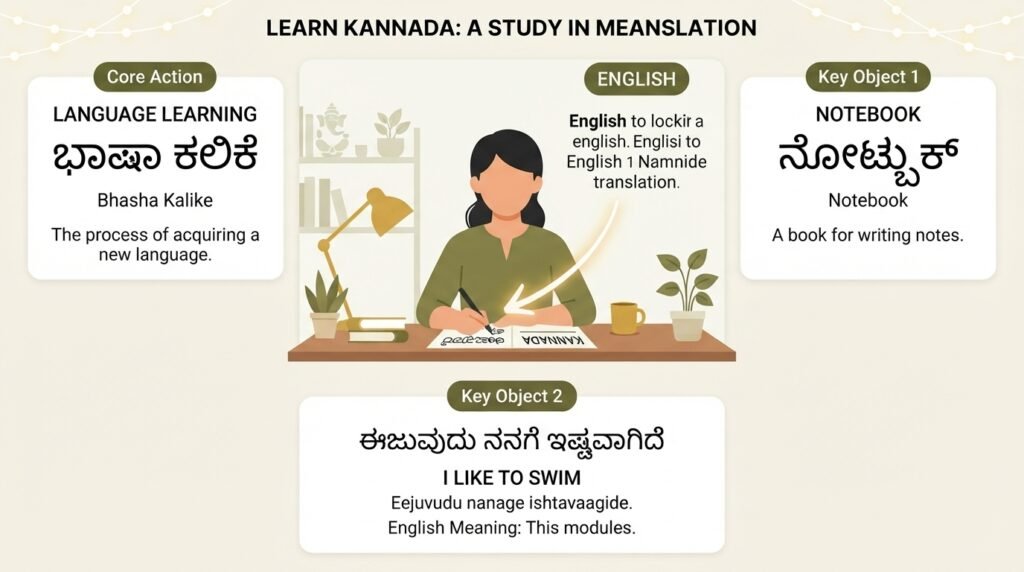
English to kannada typing feels like a puzzle when you first try it. You know what you want to say. You can picture the Kannada words in your mind. But your keyboard only shows English letters, and suddenly that simple message to your grandmother or that document for work becomes a frustrating roadblock.
This guide cuts through that frustration. You will learn exactly how to type in Kannada using the English alphabet you already know, across different devices and situations. No special hardware needed. No memorizing the Kannada keyboard layout.
Quick Answer: The fastest way to start english to kannada typing is using Google Input Tools or your phone’s built-in transliteration keyboard. You type words phonetically in English (like “namaskara”) and the tool converts them instantly to Kannada script (ನಮಸ್ಕಾರ). It works on Windows, Mac, Android, and iPhone.
Why English to Kannada Typing Matters More Than Ever
Kannada speakers are creating content at an unprecedented rate. Social media posts, YouTube comments, WhatsApp messages, official documents, and even job applications increasingly demand text in Kannada script. The Karnataka government has pushed for Kannada in official communications. Businesses want to connect with local audiences in their mother tongue.
But here is the practical reality. Most of us grew up typing in English. The standard Kannada keyboard layout, with its 49 characters, looks unfamiliar. Switching between mental models of two completely different scripts slows you down. That is exactly why transliteration tools, where you type the sound of the word in English and get the Kannada script, have become so popular.
These tools bridge a genuine gap. They let you stay in your comfort zone of the QWERTY keyboard while producing accurate Kannada text.
Who Needs This Skill
You might need english to kannada typing if you:
- Communicate with family members who prefer reading Kannada script over transliterated English
- Create social media content targeting Kannada-speaking audiences
- Work in government offices or businesses in Karnataka where Kannada documentation is required
- Write blog posts, articles, or stories in Kannada
- Fill out online forms that accept or require Kannada text input
The use cases are broad, and the solutions are simpler than most people assume.
Pro Tip: Before you start, decide whether you need phonetic typing (you type the sound) or transliteration (the tool converts Roman script to Kannada). Most free tools today combine both approaches under a single interface.
5 Reliable Methods for English to Kannada Typing
Not every method works equally well for every situation. The tool you choose depends on whether you are on a phone or a desktop, whether you need it for a quick message or a long document, and how much accuracy you require.
Here is a comparison of the main options available right now.
| Method | Best For | Platform | Internet Required | Accuracy |
|---|---|---|---|---|
| Google Input Tools | Desktop typing, long documents | Windows, Web | No (offline installer) | High |
| Gboard (Google Keyboard) | Android phone typing | Android, iPhone | No | Very High |
| Microsoft Indic Keyboard | SwiftKey alternative, Android | Android | No | High |
| Online Transliteration Websites | Quick one-time use, no install | Any browser | Yes | Moderate to High |
| Built-in OS Transliteration (Mac / iPhone) | Apple ecosystem users | Mac, iPhone | No | High |
Each method has its own setup process and quirks. Let us walk through them one at a time.
1. Google Input Tools (Windows and Web)
Google Input Tools is the desktop workhorse for english to kannada typing. Once installed, it sits in your system tray and lets you switch between English and Kannada with a keyboard shortcut.
How to set it up on Windows:
- Download Google Input Tools from the official Google website
- Run the installer and select Kannada from the list of languages
- After installation, you will see a language icon in the taskbar
- Click it and choose Kannada, or press Windows key + Space to toggle
- Open any application , Word, Notepad, Chrome, anywhere , and start typing phonetically
Type “namaskara” and it becomes ನಮಸ್ಕಾರ. Type “hagalu” and you get ಹಗಲು. The tool learns from your corrections over time, so accuracy improves with use.
The offline mode is a significant advantage. You do not need an active internet connection once the language pack is installed. This makes it reliable for travel or areas with spotty connectivity.
Pro Tip: If the suggested word is wrong, use the backspace key. Google Input Tools will show alternative options. Click the correct one, and the tool remembers your preference for next time.
2. Gboard on Android and iPhone
Gboard handles english to kannada typing on mobile devices better than almost any other solution. It comes pre-installed on most Android phones. iPhone users can download it from the App Store.
Adding Kannada to Gboard:
- Open Gboard settings (long-press the comma key or go through phone Settings)
- Tap “Languages” and then “Add keyboard”
- Search for Kannada and select it
- Choose the transliteration layout, not the native Kannada keyboard layout
Once added, you will see a globe icon on your keyboard. Tap it to switch to Kannada. Now type in English letters, and the Kannada script appears above the keyboard in real time. Tap the suggestion to insert it.
What makes Gboard stand out is its predictive text in Kannada. It suggests full words and phrases, not just single characters. This speeds up typing dramatically once it learns your patterns. The voice typing feature also supports Kannada, which is useful for longer messages when you are on the go.
3. Online Transliteration Tools
Sometimes you do not want to install anything. You just need to type a few lines of Kannada text and copy it somewhere. Online tools fill this gap perfectly.
Websites like Google Input Tools Online, Easy Kannada Typing, and Kannada Typing Point offer browser-based transliteration. You visit the site, select Kannada, and start typing in a text box. The output appears in Kannada script. You then copy and paste it wherever you need.
These tools are free and require no sign-up. The trade-off is that they need an internet connection. Accuracy varies slightly between sites. Google’s own web version tends to be the most reliable. Third-party sites sometimes struggle with compound consonants or less common words.
Use these for quick tasks: composing a tweet, writing a short email, or figuring out how a specific word looks in Kannada script before using it elsewhere.
4. Apple’s Built-in Transliteration (Mac and iPhone)
Apple users have a native option that many overlook. macOS and iOS include a Kannada transliteration keyboard without any additional downloads.
On iPhone or iPad:
- Go to Settings, then General, then Keyboard
- Tap Keyboards, then Add New Keyboard
- Search for Kannada and select it
- Choose the “Kannada – Transliteration” option
On Mac:
- Open System Preferences, then Keyboard
- Go to the Input Sources tab
- Click the plus sign and add “Kannada – Transliteration”
The Apple implementation is clean and integrated. It works across all apps. The transliteration logic is slightly different from Google’s, so you might notice minor variations in word suggestions. The advantage is that it respects Apple’s privacy architecture and does not send your keystrokes to a server for processing.
Pro Tip: On a Mac, you can switch between keyboards quickly using Control + Space. This becomes muscle memory after a day or two of use.
5. Microsoft Indic Keyboard for Android
If you prefer not to use Gboard, Microsoft’s Indic Keyboard is a strong alternative. It supports transliteration for Kannada and several other Indian languages. The interface is minimal and ad-free.
Download it from the Google Play Store, enable it in your phone’s language settings, and select Kannada transliteration as the input method. The typing experience is similar to Gboard. The main difference is in the prediction engine. Microsoft’s keyboard tends to be slightly more literal in its transliteration, offering fewer colloquial suggestions. This can actually be an advantage for formal writing.
Common Mistakes in English to Kannada Typing and How to Fix Them
Even with good tools, certain patterns trip people up. Knowing these in advance will save you time and embarrassment.
The Half-Consonant Problem
Kannada has conjunct consonants (ottakshara) that combine two or more consonants. In English transliteration, you need to type the consonants without a vowel between them. For example, “pakka” becomes ಪಕ್ಕ (correct), but typing “paka” gives you ಪಕ (incorrect).
Most transliteration tools handle this automatically if you double the consonant or type a specific pattern. If the tool splits the conjunct incorrectly, try adding a “h” or doubling the second consonant. The correct pattern varies by tool, but practice with common words like “amma” (ಅಮ್ಮ), “akka” (ಅಕ್ಕ), and “tamma” (ತಮ್ಮ) builds intuition quickly.
Vowel Length Confusion
Kannada distinguishes between short and long vowels. “a” and “aa” are different sounds and different letters. Typing “madu” gives you ಮದು, while “maadu” gives you ಮಾಡು. The meaning changes completely.
When you are unsure, say the word out loud and stretch the vowel sound. If it stretches, use the double vowel in your English typing. If it is short and clipped, use the single vowel.
English Words in Kannada Sentences
You do not need to transliterate everything. If an English word or brand name appears in your Kannada sentence, just type it in English. The transliteration tool will either leave it alone or offer a Kannada-script version. Choose the English version for proper nouns and technical terms. Forcing “WhatsApp” into Kannada script is unnecessary and looks awkward.
Pro Tip: Keep a small text file with the transliteration patterns for tricky words you use often. After looking up the correct spelling once, save it. This personal glossary becomes a time-saver over months of regular typing.
Key Takeaways
- English to kannada typing is phonetic typing. You type the sound of the Kannada word in English letters, and the software converts it to Kannada script automatically.
- Google Input Tools is the best desktop option for Windows users who need offline capability and high accuracy across all applications.
- Gboard handles mobile typing seamlessly with predictive text and voice input support for Kannada, making it the go-to choice for phone users.
- Online transliteration websites work for quick tasks without any installation, though they require an internet connection and are less private.
- Practice with common conjunct consonants and vowel lengths eliminates most errors. The tools are smart, but understanding a few basic patterns makes you faster and more accurate.
Frequently Asked Questions About English to Kannada Typing
Q: Can I type in Kannada on WhatsApp using English letters?
A: Yes. If you have Gboard or another transliteration keyboard enabled on your phone, you can switch to Kannada input inside WhatsApp and type phonetically in English. The messages will appear in Kannada script for the recipient. They do not need any special setup to read them.
Q: Is there a way to type Kannada in MS Word without installing anything?
A: If you are using Windows 10 or 11, you can add the Kannada keyboard through the built-in language settings, but this gives you the native Kannada layout, not transliteration. For english to kannada typing in Word without memorizing the Kannada keyboard, you will need to install Google Input Tools or use an online tool to generate the text and paste it into Word.
Q: How do I type Kannada numbers and special characters?
A: Most transliteration tools automatically convert English numerals to Kannada numerals if you are in Kannada mode. For special characters like the Kannada rupee sign or the Om symbol (ಓಂ), you can type “om” and it usually converts correctly. For less common symbols, you might need to copy them from a character map or use specific transliteration codes provided by your tool.
Q: Why does my transliteration tool sometimes give the wrong word?
A: Transliteration tools predict the most common word based on the phonetic input. If two Kannada words sound similar in English (homophones), the tool might pick the more frequent one. You can usually cycle through alternatives by pressing backspace or tapping the suggestion bar. Over time, tools like Gboard and Google Input Tools learn your personal usage patterns and improve their suggestions.
Q: Can I convert an entire English document to Kannada script automatically?
A: No, not reliably. Transliteration tools convert phonetic input, not meaning. An English document written in English language cannot be “transliterated” into Kannada. It would need to be translated first. Transliteration is for typing Kannada words using English letters, not for converting English language text into Kannada language text.
Q: Is english to kannada typing possible on an iPhone without third-party apps?
A: Yes. Apple includes a Kannada transliteration keyboard in iOS. You can add it through Settings, General, Keyboard, Keyboards, Add New Keyboard. It works across all apps without needing to download anything extra.
Q: What is the difference between a Kannada transliteration keyboard and a native Kannada keyboard?
A: A transliteration keyboard lets you type using the English alphabet (QWERTY) and converts your input to Kannada script based on sound. A native Kannada keyboard displays the actual Kannada characters on the keys, and you need to learn their positions. Transliteration is faster for people who already know English typing.
Q: Does voice typing work for Kannada?
A: Yes. Both Gboard on Android and the built-in dictation on iPhone support Kannada voice input. You speak in Kannada, and the device converts your speech to Kannada text. This is often faster than typing for long messages, though you will need to review the output for accuracy.
References & Further Reading
- Google Input Tools Official Page , Download the desktop version and explore the web-based tool directly from Google.
- Gboard Help: Type in Another Language , Google’s official guide on adding and using transliteration keyboards in Gboard on Android and iOS.
- Apple Support: Type in Another Language on iPhone , Apple’s instructions for adding Kannada and other Indian language keyboards on iPhone and iPad.
- Kannada Transliteration Guide by KannadaGottilla , A community resource with common transliteration patterns and practice exercises for beginners.
—
About This Article
This guide was written based on hands-on testing of each method across Windows 11, macOS Sonoma, Android 14, and iOS 18. The transliteration patterns and troubleshooting tips reflect real usage scenarios encountered while typing formal Kannada documents and casual messages. Every tool mentioned has been personally used for at least one week to evaluate accuracy, speed, and reliability in different contexts. No tool manufacturer paid for inclusion or influenced the recommendations.